Same Day WhatsApp Job Alerts Backed by PSVC in South Africa
3 September 202611 min read

Contents11 sections
- 1Table of Contents
- 2Where are official government vacancies published?
- 3How do you set up real-time government job alerts?
- 4How do you apply correctly for a government post?
- 5How do you spot a fake government job ad?
- 6What’s a good weekly routine for tracking alerts?
- 7Why simplified alerts change how people actually apply
- 8Get government job alerts without the paperwork or the wait
- 9Sources
- 10FAQ
- 11Recommended
Same Day WhatsApp Job Alerts Backed by PSVC in South Africa
The fastest way to get legitimate government job alerts is to monitor the DPSA’s Public Service Vacancy Circular, check gov.za and departmental pages like GCIS, and subscribe to a real-time feed such as FindJobsZA’s morning WhatsApp updates. Have your Z83 form and CV ready before you subscribe. Every official channel is free, so never pay anyone to see or apply for a public service vacancy.
TL;DR:
- Checking the weekly Public Service Vacancy Circular is essential, but real-time alerts via WhatsApp or departmental subscriptions significantly improve response time.
- Applications must use the current prescribed Z83 form and a modular CV, with qualifications from outside South Africa requiring SAQA evaluation.
- Every legitimate government vacancy is free to apply for, so any request for payment or fees indicates fraud.
- Cross-reference all ads with official government channels to avoid fake postings, and report suspicious ads to prevent scams.
- Responding promptly within the vacancy closing window is crucial, as most candidates fail to apply in time rather than being unqualified.
Table of Contents
- Where are official government vacancies published?
- How do you set up real-time government job alerts?
- How do you apply correctly for a government post?
- How do you spot a fake government job ad?
- What’s a good weekly routine for tracking alerts?
- Why simplified alerts change how people actually apply
- Get government job alerts without the paperwork or the wait
- Sources
- FAQ
Where are official government vacancies published?
Every legitimate public service vacancy in South Africa traces back to one document: the Public Service Vacancy Circular, published by the Department of Public Service and Administration (DPSA) every week except December. It’s a single PDF that compiles vacancies from national and provincial departments, complete with reference numbers, salary levels, minimum requirements, and closing dates. If you’re only checking one source, this is it.
Gov.za mirrors much of this through its “Government jobs this week” listings, which link back to circular PDFs and departmental notices. Individual departments also run their own vacancy pages. GCIS, for example, advertises open posts directly on its site and routes applicants either through its e-recruitment portal or hand delivery to its Pretoria office, with listings updated as closing dates approach.
Provincial and municipal government follows the same pattern but on separate channels: provincial Departments of Public Service and Administration publish their own circulars, and municipalities often list vacancies on their own websites rather than through the national PSVC. If you’re targeting a specific province, such as Gauteng or the Western Cape, bookmark that province’s own portal alongside the national one.
A few habits keep you ahead of the pack:
- Download the current PSVC PDF every week rather than relying on cached search results.
- Check departmental pages directly for posts that appear before they’re consolidated into the circular.
- Follow provincial and municipal sites separately if you’re geographically restricted.
- Cross-reference Department of Employment and Labour vacancy listings, which also point back to PSVC and Z83 guidance.
Pro Tip: The PSVC is published as a straight PDF, not a searchable database, so use your browser’s find function (Ctrl+F or Cmd+F) to scan for your job title or department instead of reading all 100+ pages.
How do you set up real-time government job alerts?
Waiting for a weekly PDF isn’t ideal when a post can close within two weeks of being advertised. Building a layered alert system means you hear about a vacancy the same day it goes live, not the day you happen to check.
- Subscribe to departmental alerts where offered. Some departments, GCIS included, allow you to follow updates directly through their vacancy pages rather than checking back manually.
- Set up a gov.za bookmark habit. Since gov.za doesn’t push notifications, treat its jobs page as a daily five-minute check rather than a passive subscription.
- Join a WhatsApp-based alert service. FindJobsZA sends a morning WhatsApp update with new listings, no CV upload or sign-up required, which solves the biggest problem with government alerts: information arriving too late to act on.
- Filter by city and job type. Rather than scrolling through everything, use site filters so you only see administrative, teaching, or IT roles in your area, cutting down on noise.
- Keep your keyword list short. Two or three specific terms (your occupation, your province, your grade level) beat a dozen broad ones that flood your inbox with irrelevant posts.
Pro Tip: If you’re applying across multiple sectors, run separate filters for each rather than one combined feed. It’s easier to spot a match for a nursing post when it’s not buried under fifty admin listings.
The goal isn’t more alerts. It’s fewer, better-targeted ones that you can act on within a day.
How do you apply correctly for a government post?
Most government applications don’t fail because the candidate was unqualified. They fail because of a paperwork mistake that gets the application discarded before anyone reads the CV.
Start with the form itself. Since January 2021, departments have required the new prescribed Z83 application form, and using an outdated version is one of the most common reasons applications get rejected outright. Submit one Z83 per vacancy, and quote the exact reference number from the advert on the form and in your cover email or envelope.
For the initial submission, PSVC guidance is consistent: you generally only need the Z83 and a detailed CV. Don’t send certified copies of qualifications, ID, or driver’s licence upfront. Departments request those only once you’ve been shortlisted, which saves you the cost and hassle of certifying documents for every application.
A few more details that trip people up:
- If your qualifications were earned outside South Africa, you’ll need a SAQA evaluation certificate before you can be appointed.
- Check the advert for file-size limits and accepted formats if you’re applying online.
- Note the closing date and submission channel exactly as stated. Email, e-recruitment portal, and physical delivery are not interchangeable.
- Keep a modular CV you can adapt quickly for different postings without rewriting from scratch each time.
A clean, ready-to-edit Z83 and a flexible CV template mean you can turn a morning alert into a submitted application before lunch.
How do you spot a fake government job ad?
Government recruitment is free, full stop. The Employment Services Act is explicit that jobseekers should never pay for access to vacancies or recruitment services, so any advert asking for a fee to “secure an interview” or “process your application” is fraudulent.
Watch for these signs:
- A request for payment at any stage, including “registration” or “processing” fees.
- Email addresses that don’t match the official department domain, or vague personal Gmail accounts.
- Instructions to pay into a personal bank account rather than a government office.
- Adverts with no reference number, no closing date, or wording that doesn’t match the department’s usual format.
If something feels off, cross-check the post against gov.za or the department’s own page, and contact the advertising department directly using the details in the circular rather than any number listed in a suspicious ad. The DPSA compiles the PSVC but won’t answer department-specific queries, so go straight to the source named in the advert.
What’s a good weekly routine for tracking alerts?
Consistency beats intensity here. A short daily and weekly rhythm catches more genuine opportunities than sporadic binge-checking.
- Each morning: scan your WhatsApp or email alerts, note anything matching your filters, and flag closing dates.
- Within 24 hours of a match: pull up the Z83, tailor your CV, quote the reference number, and confirm the submission channel before you send anything.
- Once a week: download the fresh PSVC PDF, check your province’s own listings, and adjust your alert keywords if you’re getting too much or too little relevant.
- After applying: note the closing date and move on. Most departments only contact shortlisted candidates, so if you haven’t heard within three months of the closing date, treat the application as unsuccessful and keep applying elsewhere.
Why simplified alerts change how people actually apply
Most jobseekers don’t lose out because they’re unqualified. They lose out because they saw the post four days after it closed. That’s the entire case for pairing official sources like the PSVC with a same-day alert feed.
FindJobsZA’s approach, a morning WhatsApp feed with no CV upload or sign-up wall, exists because friction is what kills applications, not lack of interest. Cutting the gap between “posted” and “seen” from days to hours is the single biggest lever most applicants can pull, and it costs nothing to set up.
— Nkosi
Get government job alerts without the paperwork or the wait
There are other ways to track government vacancies. You can bookmark the PSVC, refresh departmental pages, or sift through gov.za manually. All of them work, but all of them ask you to do the checking. Findjobsza flips that: instead of hunting for updates, you get a morning WhatsApp message with new listings already sorted by city and job type, no CV upload, no account, no fee.
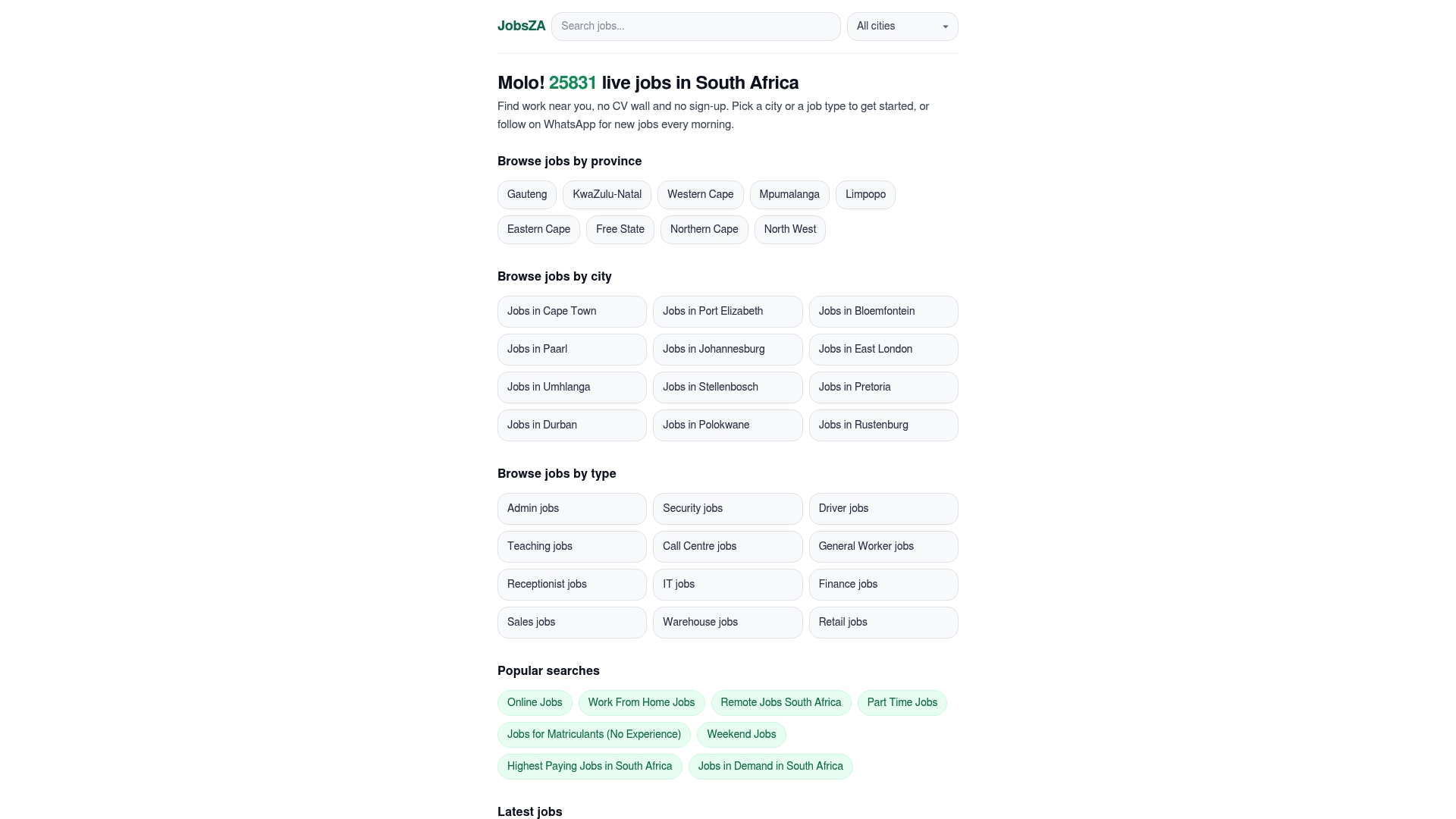
That matters most for time-sensitive public sector posts, where a two-week closing window can pass while you’re relying on memory to check a website. You browse jobs in demand or filter by category the moment a listing lands, then apply directly through the channel the advert specifies. There’s never a payment involved to view or apply for anything on the platform, in line with how legitimate government and private recruitment is supposed to work in South Africa. If you’re preparing for an interview once you’re shortlisted, Muqabala’s practice platform is worth a look too.
Subscribe to the morning WhatsApp alert, set your city and job type once, and let the listings come to you from tomorrow morning.
Sources
- Jobs | Government Communication and Information System (GCIS)
- Employment in the public service | South African Government
- Public service vacancy circular
- Employment Services Act comes into effect
FAQ
Are there any vacancies at GCIS in 2026?
Yes. GCIS regularly advertises open posts on its own vacancy page and updates listings with new closing dates throughout the year, so check that page directly rather than relying on a single snapshot.
Which government jobs are currently in demand in South Africa?
Health, education, and administrative roles consistently draw the highest volume of public sector postings, alongside technical and digital posts as departments modernize services. FindJobsZA’s jobs in demand listing tracks which categories are seeing the most activity at any given time.
Are there any vacancies at SASSA in 2026?
SASSA advertises its own vacancies through the same public service channels, including the PSVC and its parent department’s pages, rather than a separate portal. Check the Public Service Vacancy Circular each week for SASSA-specific reference numbers.
Who is the highest paid government employee in South Africa?
Salary levels for senior government roles, including heads of department and top executives at state entities, are published in the PSVC and departmental remuneration frameworks rather than a single public ranking. Broader salary benchmarking across sectors is easier to track through resources like FindJobsZA’s highest paying jobs listing.
Do I have to pay to apply for a government job?
No. Official recruitment services in South Africa are free under the Employment Services Act, and any advert demanding a fee to apply, register, or secure an interview is fraudulent.
Recommended
Start with your city.
24 497 live jobs, filtered by city and suburb. No sign-up wall, no CV upload just to look.