The fastest way to search for jobs by city and land interviews
28 August 202610 min read

Contents11 sections
- 1Table of Contents
- 2How do I search for jobs by city and suburb?
- 3Setting up local job alerts that don’t overwhelm you
- 4How do I know a city job listing is legitimate?
- 5Applying by city: platform vs. direct, and what to expect next
- 6How Findjobsza handles city-based search and alerts
- 7A working routine for city-based job hunting
- 8Find your next role faster with Findjobsza
- 9Sources
- 10FAQ
- 11Recommended
The fastest way to search for jobs by city and land interviews
The fastest route to real local opportunities is running narrow city and suburb filters on a specialist job board, layering in named alerts for those exact areas, and verifying every listing before you apply. Broad province-wide searches waste time on results you’d never actually commute to. A platform like Findjobsza works well for this because you can filter by city with no sign-up wall and get new matches pushed straight to WhatsApp each morning.
TL;DR:
- Narrow city and suburb filters, combined with verifying listings, drastically improve the relevance and response rate of job searches in targeted areas.
- Using landmarks and transport nodes in searches such as “Gautrain Sandton” yields more realistic results focused on actual commute corridors.
- Daily alerts filtered by job title, suburb, and recent posting date help maintain a current pipeline without overwhelming your inbox.
- Confirm the legitimacy of listings by verifying company registration and specific addresses on Google Maps to avoid scams and expired ads.
- Applying directly through company careers pages or official portals increases the chances of being seen and tracked by reputable employers.
Table of Contents
- How do I search for jobs by city and suburb?
- Setting up local job alerts that don’t overwhelm you
- How do I know a city job listing is legitimate?
- Applying by city: platform vs. direct, and what to expect next
- How Findjobsza handles city-based search and alerts
- A working routine for city-based job hunting
- Find your next role faster with Findjobsza
- Sources
- FAQ
How do I search for jobs by city and suburb?
Searching city by city only works if you get specific. Typing “Johannesburg” into a search bar returns thousands of listings, half of them irrelevant to your field and impossible to commute to. Typing “Sandton” or “Rosebank” narrows that pile down to something you can actually act on.
The trick is using the same landmarks locals use to describe where they work. Searches built around transport nodes and business districts, such as “Gautrain Sandton,” “Umhlanga Ridge,” or “Paarden Eiland,” tend to surface listings that match a realistic commute corridor rather than a vague province-wide guess. LinkedIn’s job search tools work the same way: pairing a specific job title with a city name, then layering on experience level and date posted, produces far tighter matches than a generic keyword search.
Here’s a workable sequence for any board you use:
- Pick your target suburb or node, not the whole metro (Centurion, not “Gauteng”).
- Enter your job title alongside that suburb name.
- Filter by date posted, ideally the last 3 days, to cut out stale ads.
- Filter by job type: full time, part time, freelance, or remote, so you’re not wading through mismatches.
- Cross-check any address that looks vague on Google Maps before you consider applying.
Job boards that scrape listings from multiple sources often carry duplicates or ads that have quietly expired. Filtering by date posted and checking the original company page catches most of that clutter before you waste an afternoon on a dead lead.
Pro Tip: Save two or three suburb-specific searches instead of one broad city search. You’ll spot patterns in which nodes actually have openings in your field, and you can retire the ones that never produce results.
Setting up local job alerts that don’t overwhelm you
An alert that fires 40 times a day trains you to ignore it. An alert built around a specific title, suburb, and job type keeps showing up in your inbox because it’s actually useful.
When you set one up, include:
- The exact job title or a close variant (not “any job”)
- Your target city or suburb, not the whole province
- A date filter so you only see fresh postings
- Job type (full time, part time, contract) if the platform allows it
Frequency matters more than most people think. Daily alerts with a limited search radius tend to strike the right balance between staying current and not drowning your inbox. Weekly digests are too slow for competitive roles in places like Cape Town’s CBD, where good listings can pull dozens of applicants within 48 hours.
If your platform lets you name your alerts, use that. Something as simple as “Retail Sandton Daily” versus “Retail Durban Weekly” lets you track which search string actually produces interviews over a month, and drop the ones that don’t. That’s a small habit, but it’s the difference between guessing and knowing which city and job combination is worth your time.

Mobile alerts close the gap between posting and applying. A listing posted at 7 AM often gets fifty applications by lunch. Getting it pushed to WhatsApp the moment it goes live puts you near the front of that queue instead of somewhere in the middle. Findjobsza builds its entire alert system around this: no email digest delay, just a direct message with the day’s new city matches.
How do I know a city job listing is legitimate?
A few quick checks catch most fake or scraped listings before they cost you time or money. Search the company name on CIPC to confirm it’s a registered entity, then look for a matching careers page or LinkedIn presence. If the company only exists on the job board itself, treat that as a warning sign.
Drop the listed address into Google Maps. A real office in a commercial building or business park checks out instantly. A listing that gives a vague area, a residential estate, or refuses to name a specific address deserves more scrutiny.
Watch for these red flags:
- No verifiable company name, registration, or web presence
- Any request for payment, “training fees,” or bank details before you’re hired
- Interviews proposed at a coffee shop, a private home, or over WhatsApp only, with no office visit ever mentioned
- Salary that sounds too high for the stated experience level
Official guidance is unambiguous on the fee question: registered private employment agencies are barred from charging applicants for job placement. Any request for money upfront is grounds to walk away immediately. If something still feels off, a resource like Scruteon’s scam prevention guide covers the broader patterns fraudsters use across online job platforms, and reporting a suspicious ad to the platform itself helps get it pulled before it catches someone else.
Applying by city: platform vs. direct, and what to expect next
Once you’ve found a legitimate listing, where you apply matters. For most private-sector roles, aggregator boards are excellent for discovery, but the actual application often belongs on the company’s own careers page, where the listing is guaranteed current and directly tracked by that employer’s hiring team.
- Use the job board or Findjobsza to discover and filter openings by city.
- For large corporates, jump to their official careers portal to submit your CV directly.
- For public-sector roles, complete the Z83 form through DPSA rather than a generic CV, since that’s the required format.
- If no response arrives within 7 to 14 days, a short, polite follow-up email is reasonable.
- Never pay to apply. Legitimate recruitment agencies are funded by the employer, not the candidate.
You can also register on ESSA through the Department of Employment and Labour for free job matching and counselling at your nearest Labour Centre, a useful backup channel alongside private boards.
How Findjobsza handles city-based search and alerts
Findjobsza is built specifically around the problem this article is solving: too much friction between spotting a job and actually applying. You filter by city or suburb, browse the full list with no sign-up wall, and apply directly without uploading a CV just to see what’s available.
The core features:
- City and suburb filters across every major job category, from admin to skilled trades
- No registration required to browse listings
- Daily WhatsApp alerts sent every morning with new matches in your chosen area
- Coverage across full-time, part-time, freelance, and entry-level roles
Setting it up takes minutes. Pick your city, narrow to a suburb if you want tighter matches, and turn on WhatsApp alerts so new postings land on your phone without you having to check back manually.
Pro Tip: Turn on alerts for two different suburbs in your city if you’re flexible on commute. You’ll see which area actually has more openings in your field within a week or two.
The no-CV-upload approach at the browsing stage matters more than it sounds. It means Nkosi, and every other reader working through dozens of listings a day, can scan and shortlist fast, then only invest the time writing a tailored CV once a specific role is worth pursuing. Following official channels like ESSA registration alongside a platform search gives you two working paths at once instead of one.
A working routine for city-based job hunting
Most job seekers treat the search as a one-time task instead of a routine, and that’s where they lose momentum. Check two or three narrow alerts daily and apply to two roles that actually fit, rather than mass-applying to everything that shows up. Once a week, spend twenty minutes on local networking, a LinkedIn message to someone in your target company, a follow-up on an old application, and review which alert names are actually producing interviews so you can drop the ones that aren’t.
WhatsApp alerts earn their place here because speed matters more than most people admit. And before any interview, always confirm the address on a map first. A five-minute check beats a wasted trip, or worse.
— Nkosi
Find your next role faster with Findjobsza
Findjobsza gives you a direct route to city-based listings without the sign-up forms, CV uploads, or account walls that slow down most job boards. If you’ve just worked through the filtering, alert-setting, and verification steps above, this is where that effort turns into results: browse online jobs filtered by your city, or narrow straight to part-time or weekend work if that fits your schedule better. Every listing is organized by location first, so you’re never scrolling through roles three provinces away from where you actually live.
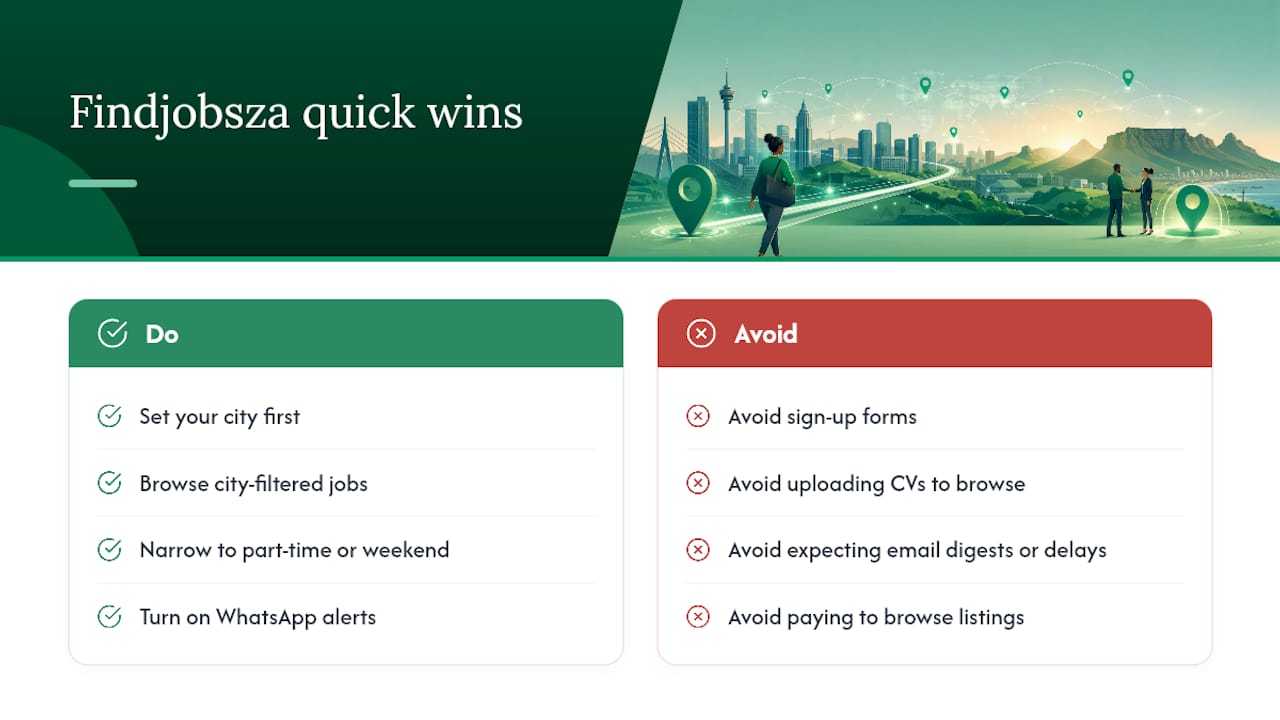
Turn on WhatsApp alerts for your city today, and new matches start landing on your phone tomorrow morning, no email digest, no delay, no application fee to browse. Head to Findjobsza, set your city, and see what’s open right now.
Sources
- Finding a job: tips on how to find a good job (Department of Employment and Labour)
- How to set up job alerts on South African career portals (Jobrato)
- Scruteon | Free Scam Prevention Guide - Fraud Awareness & Online Safety
FAQ
How do I find a job in my local area?
Use a job board with city or suburb filters, narrow your search to a specific node rather than a whole province, and set a daily alert for that exact area so new postings reach you fast.
Which jobs are hiring right now in Cape Town?
Openings shift daily across retail, admin, hospitality, and skilled trades in nodes like the CBD, Century City, and the Southern Suburbs. Filtering a city-based board by “Cape Town” with a date posted filter of the last 3 days gives the most current picture.
How do I submit my CV to a large corporate employer?
Discover the vacancy on a job board or aggregator, then submit your actual application through that company’s official careers portal rather than the third-party listing, since that’s where the employer’s hiring team actually tracks candidates.
Which site is best for finding jobs by city?
A platform that lets you filter by city or suburb without requiring sign-up or a CV upload, such as Findjobsza, removes the biggest friction points and works well alongside official channels like ESSA registration through the Department of Employment and Labour.
Recommended
Start with your city.
24 912 live jobs, filtered by city and suburb. No sign-up wall, no CV upload just to look.