Real-time freelance job alerts: setup guide for South Africans
20 August 202622 min read

Contents17 sections
- 1Key Takeaways
- 2Table of Contents
- 3How do freelance job alerts actually work?
- 4Which notification channel gets you hired fastest?
- 5How do I set up alerts that return real leads?
- 6How can freelancers spot a fake job listing?
- 7How fast should you respond to a new alert?
- 8What should you look for in a freelance alert service?
- 9Setting up your first alert on FindJobsZA
- 10Do freelance alert services cost anything?
- 11How do the different alert services compare?
- 12How do you stop alerts from taking over your day?
- 13What the alert-chasing advice usually gets wrong
- 14Get real-time freelance alerts from FindJobsZA today
- 15Sources
- 16FAQ
- 17Recommended
Real-time freelance job alerts: setup guide for South Africans
The fastest way to get freelance job alerts is a saved search paired with WhatsApp or in-app push notifications, not email. Email is where good leads go to die in a crowded inbox; WhatsApp and push land on your lock screen the second a listing goes live, which matters when a client hires the first three decent applicants and ignores the rest.
Here’s the setup, in order:
- Pick your category and two or three specific skill keywords (not just “freelance writer” but “freelance writer” plus “copywriting” plus “content”).
- Set your location filter to your city, province, or “remote.”
- Choose your channel: WhatsApp or push for anything urgent, email as a backup digest.
- Add budget and contract-type filters so you’re not wading through unpaid “exposure” gigs.
- Turn on real-time delivery rather than a daily digest.
Why this order matters: a digest that lands at 8am is useless if the client already booked someone at 7:15am. Real-time channels close that gap.
- WhatsApp and push alerts arrive within minutes of a posting going live.
- Email digests are better for passive browsing, not for competitive gigs with fast turnaround.
Key Takeaways
Real-time delivery through WhatsApp or in-app push consistently beats daily digests for competitive freelance gigs, because many listings fill within hours of posting.
| Point | Details |
|---|---|
| Choose real-time over digest | WhatsApp and push notifications arrive within minutes; email digests can lose you the first-mover advantage. |
| Build tight saved searches | Combine role keywords with exclusion terms to cut noise and surface higher-quality freelance leads. |
| Vet every unfamiliar listing | Check for independent company verification and never pay fees; charging applicants is illegal under South African law. |
| Triage fast, apply faster | Use a 30-second check on deadline, budget, and client verification before sending a pitch. |
| Prioritize local, real-time sources | Findjobsza delivers free daily WhatsApp alerts with no CV upload, suited to South African freelancers who need fast, local leads. |
Table of Contents
- How do freelance job alerts actually work?
- Which notification channel gets you hired fastest?
- How do I set up alerts that return real leads?
- How can freelancers spot a fake job listing?
- How fast should you respond to a new alert?
- What should you look for in a freelance alert service?
- Setting up your first alert on FindJobsZA
- Do freelance alert services cost anything?
- How do the different alert services compare?
- How do you stop alerts from taking over your day?
- What the alert-chasing advice usually gets wrong
- Get real-time freelance alerts from FindJobsZA today
- Sources
- FAQ
How do freelance job alerts actually work?
Freelance job alerts pull from a handful of source types, and each one behaves differently depending on how the listing gets published and how fast it reaches you.
In-platform saved searches are the backbone. You set filters once on a job board and it monitors new postings against them, pushing matches to you automatically. Email newsletters from niche boards, like the daily or weekly roundups from ProBlogger Jobs for writing gigs, bundle listings into a digest. Good for passive scanning, bad for speed.
WhatsApp broadcasts have become the dominant channel for South African job seekers because almost everyone already has the app open all day. A platform sending a morning batch of vacancies straight to your phone skips the friction of logging into a website. Telegram channels work similarly but skew toward tech and remote-first audiences internationally.
RSS feeds still exist and some power users like them for aggregating multiple boards into one reader, but they demand a dedicated app and don’t ping your phone the way a push notification does. Social media groups, particularly Facebook groups organized by city or industry, surface leads fast but bury them in comments and unrelated posts within hours.
Employer career pages are the most direct source and often the least competitive, since fewer freelancers bother checking a company’s own site directly rather than a big board.
Here’s how they stack up on speed and signal quality:
- In-platform saved searches: real-time or near-real-time, high relevance if filters are tight, moderate setup effort.
- WhatsApp broadcasts: real-time, high visibility, but signal quality depends entirely on who curates the list.
- Email digests: delayed by hours or a full day, easy to search later, low urgency.
- Telegram/RSS: real-time to near-real-time, requires more manual setup, better for tech-heavy niches.
- Facebook/social groups: real-time posting but poor searchability and heavy noise.
- Career pages: no alert mechanism unless the company offers one, but lower competition when you do find a listing.
The pattern holds across almost every source: the more direct the channel, the faster the alert, and the less filtering has already been done for you. That trade-off is exactly why combining two or three source types beats relying on just one.
Which notification channel gets you hired fastest?
WhatsApp and in-app push win on speed. Email wins on searchability. SMS is largely obsolete for this purpose unless you’re in an area with unreliable data. The right answer usually isn’t picking one channel, it’s stacking two that cover each other’s weaknesses.
| Channel | Latency | Mobile visibility | Reliability | Setup friction | Cost/privacy note |
|---|---|---|---|---|---|
| Near-instant | Very high, lock-screen banner | High, if number stays active | Low, just opt in | Free, but requires sharing your number | |
| In-app push | Near-instant | High, if notifications enabled | High | Low, one toggle | Free, tied to one app |
| Minutes to hours | Moderate, easy to miss in inbox | High | Low | Free, easiest to search later | |
| SMS | Instant but rare now | High but old-fashioned | Depends on carrier | Low | Sometimes costs the sender, rarely used by freelancers |
| Telegram | Near-instant | Moderate, needs app installed | High | Medium, requires separate app | Free, more privacy-conscious than WhatsApp |
WhatsApp’s biggest weakness is noise. If you join five different broadcast lists, your chat list turns into an avalanche, and you’ll start missing the good listings between the spam. In-app push avoids that problem since it’s centralized inside one app, but it only works if you actually keep that app installed and check it.
A sensible combo for most freelancers: WhatsApp or push as the primary real-time channel, email as a searchable backup for anything you want to revisit later, and nothing else, supported by tools like Arvo, a job hunt assistant for people who’ll do the work. Adding a fourth or fifth channel usually adds duplication, not new leads.
- Real-time channels (WhatsApp, push, Telegram) suit competitive, fast-turnaround freelance gigs.
- Digest channels (email, some newsletters) suit passive job hunting when you’re not under time pressure.
- Fewer, well-chosen channels beat a scattershot approach across every platform you can find.
Pro Tip: Mute WhatsApp broadcast chats individually rather than leaving your phone on full alert. You still get the badge notification, but you control when you actually open the message, which stops job alerts from hijacking your whole day.
How do I set up alerts that return real leads?
Loose keywords produce a flood of irrelevant listings. Tight, deliberate search strings produce fewer results, and almost all of them worth reading. That distinction is the entire difference between an alert system that helps you and one you eventually mute out of frustration.
Start with a checklist:
- Choose your primary category (writing, design, development, admin, finance, and so on).
- Add two or three specific skill terms rather than one broad one.
- Use exclusion terms for anything that clutters your results, like “-internship” or “-volunteer” if you’re not looking for unpaid work.
- Set your experience level or seniority if the platform allows it.
- Set a budget floor where possible, so R50-an-hour gigs don’t drown out R400-an-hour ones.
- Choose “remote” as a location if you’re open to working with clients outside your city or country.
- Save the search and turn on real-time notifications, not digest mode.
Concrete examples help more than abstract advice here. A freelance copywriter chasing quality leads might set:
"copywriter" OR "content writer" -internship -unpaidwith location set to remote and budget floor around R250/hour, roughly matching mid-level freelance writing rates in South Africa.- A UI designer might use
"UI designer" OR "product designer" freelance -junior -intern, filtered to remote or a specific metro. - A short-term developer available for a few weeks at a time could try
"contract developer" OR "freelance developer" "3 month" OR "short-term"with remote enabled.
Notice the pattern: each string combines a role term with a contract-type or duration term, and excludes the categories that waste your time. Narrow, well-crafted saved searches with exclusion terms reduce noise and tend to surface higher-quality freelance leads, especially on aggregator sites where volume is high but relevance varies wildly.
Adapting these for part-time or remote-only work is mostly a matter of adding the right modifier. If you specifically want part-time hours, add “part-time” or “hours flexible” to your string. If you’re only interested in remote roles, make that a hard filter rather than a keyword, since many platforms treat location as a separate field from your search terms.
Combining sources without drowning in duplicates takes a bit of discipline. If you’re running a saved search on a job board and also subscribed to a WhatsApp broadcast covering the same category, you’ll see overlap. The fix isn’t to drop one channel, it’s to treat one as primary (act on it immediately) and the other as a backup scan you check once a day in case something slipped through. For cadence, real-time makes sense for high-competition categories like copywriting, design, and virtual assistant work. An hourly or twice-daily digest is fine for niche or highly specialized categories where competition is thinner and speed matters less.

One more filtering habit worth building: as AI tools reshape freelance work, a 2026 industry analysis found that around 59% of freelance projects are now AI-augmented rather than fully automated, with only about 4% showing high automation exposure. That means alert filters built around “AI-assisted” or “human-essential” skill combinations, rather than avoiding AI-related terms altogether, will surface more relevant, better-paying work going forward.
How can freelancers spot a fake job listing?
Most freelance job scams share the same three or four tells, and learning to spot them takes less time than filling out one bad application. The single biggest red flag: any listing that asks you to pay for training, equipment, or “registration” before you start work. Under South Africa’s Employment Services Act, charging jobseekers application or placement fees is illegal, and legitimate employers simply don’t do it.
Watch for these patterns:
- A listing that only communicates through WhatsApp, never a company email address or verifiable phone line.
- Vague job descriptions with no clear deliverables, client name, or scope, just “earn money from home.”
- Branding that mimics a government department or well-known company but links to an unofficial domain.
- Urgency pressure: “apply in the next hour” or “only 3 spots left” language designed to short-circuit your judgment.
- No verifiable company registration, physical address, or history you can find independently.
A 2026 investigation traced an entire fake job ads network to unofficial websites and WhatsApp numbers, using AI-generated content to impersonate government hiring campaigns and target unemployed South Africans specifically. The scale of that operation is a reminder that scam listings aren’t rare edge cases, they’re an organized industry preying on exactly the urgency freelancers feel when hunting for their next gig.
If something looks off, stop before you respond. Verify the company’s domain independently (don’t click the link in the listing, search for it yourself), check whether it appears on the Companies and Intellectual Property Commission (CIPC) register if it claims to be a registered business, and look for a landline or verifiable email rather than only a cellphone number. Trusted South African job boards verify employers before listings go live and never charge applicants, which is a useful baseline to compare any suspicious listing against.
A platform that only ever contacts you through a personal WhatsApp number, never a company domain or verifiable email, is behaving exactly like the fraud networks investigators have documented rather than like a legitimate employer.
Keep records of every application, quote, and client communication regardless of how the job turns out. That paper trail protects you in a dispute and doubles as documentation for SARS if you’re ever asked to substantiate freelance income.
Pro Tip: For any new client relationship, propose a small paid test task before committing to a full project, and put the scope and milestone payments in writing, even if it’s just a two-line email confirmation. It costs you nothing and filters out anyone unwilling to commit to real terms.
How fast should you respond to a new alert?
Speed matters more in freelance work than most job seekers assume, because unlike permanent roles with a formal interview pipeline, many freelance gigs get filled the moment a client finds someone who looks competent enough. The listing doesn’t need to close, it just needs enough applicants for the client to stop looking.
A quick 30-second triage saves you from chasing every alert equally:
- Does the deadline still give you a realistic window to deliver, or is it already unreasonable?
- Can you verify the client or company exists independently?
- Does the stated budget match or exceed your floor rate for that type of work?
- Does the scope actually match your skill set, or would you be stretching credibility to apply?
Skip anything that fails two or more of those checks. Apply immediately to anything that passes all four.
Notification latency compounds this. A digest that delivers your matches once a day means you’re competing against everyone who saw the listing in real time, hours earlier. Real-time WhatsApp or push alerts close that gap, but only if you also act on them quickly rather than letting the notification sit unread for six hours.
Have a pitch template ready so you’re not drafting from scratch under time pressure:
“Hi [name], I saw your listing for [role]. I’ve worked on [one relevant example], and I can start [timeframe]. Happy to share samples or discuss scope, what works for you?”
Keep an apply-now checklist handy too: confirm your rate floor, attach or link two relevant samples, and send within the first hour if you can manage it. New freelancers tend to overestimate how many hours they’ll actually bill in a month once you account for pitching, admin, and dead time between gigs, often landing closer to 60 to 70 billable hours rather than a full work month. That reality makes fast, well-targeted applications far more valuable than a scattershot approach across every listing that comes through.

What should you look for in a freelance alert service?
Choosing where to get your alerts from comes down to six practical questions, and most freelancers never sit down and answer them explicitly before signing up for five different services.
Run through this checklist:
- Latency: does it deliver in real time, or only in a daily or weekly digest?
- Channel: does it support WhatsApp or push, or is email your only option?
- Coverage: does it list categories relevant to your actual skill set, or is it a generic aggregator with thin freelance coverage?
- Verification: does the service check employers before listings go live, or is anyone free to post anything?
- Payout and fees: if the platform is also where you’ll get hired and paid, what withdrawal routes does it support, and does it take a cut?
- Cost: is the alert service itself free, or does it lock real-time delivery behind a paywall?
Broadly, alert sources fall into three categories, each with real trade-offs. Global marketplaces offer enormous volume and international client budgets, but competition is fierce and payout routes can involve currency conversion friction. Aggregator boards pull listings from dozens of sources into one feed, which is convenient but means verification is inconsistent, since the aggregator didn’t necessarily vet the original poster. Employer direct feeds, where you follow a specific company’s career page or WhatsApp line, cut out the middleman entirely but only cover that one employer, so you’d need dozens of them to match the coverage of a single good aggregator.
For South African freelancers specifically, local coverage often matters more than sheer volume. Local businesses increasingly prefer hiring local freelance talent to sidestep cross-border compliance headaches around SARS, FICA, and POPIA, which means listings from a South Africa-focused service tend to convert into real interviews more often than the same effort spent on a massive global board where you’re competing against freelancers in a dozen countries with lower cost bases.
That’s where Findjobsza fits the criteria most directly for readers of this article. It’s built specifically around real-time, local delivery rather than trying to be a global catch-all:
- Findjobsza sends daily WhatsApp updates every morning, which solves the latency problem without asking you to check five different apps.
- There’s no CV upload or account registration required to browse listings, which strips out a layer of friction most job boards add unnecessarily.
- Listings cover full-time, part-time, freelance, and entry-level roles across major sectors, city by city, so you can filter by where you actually live and work rather than scrolling past irrelevant provinces.
If your priority is speed, local relevance, and not wading through global noise to find South African clients, that combination is hard to beat. The best move is simply to try the remote jobs or jobs in demand listings for a week and see how the WhatsApp alerts compare to whatever you’re currently using.
Setting up your first alert on FindJobsZA
Getting your first alert running takes a few minutes, and there’s no account to create before you can start browsing.
- Visit the FindJobsZA site and browse listings by city, province, or job type, no login wall in the way.
- Pick the category that matches your freelance niche, whether that’s admin, IT, finance, or another sector.
- Set your location, or choose remote if you’re open to working outside your home city.
- Opt in to receive daily WhatsApp updates so new listings land on your phone each morning.
- Adjust your filters over the first week based on what’s actually showing up, tightening keywords if you’re seeing too much irrelevant volume.
That’s essentially the whole flow. There’s no multi-step onboarding wizard, no profile completeness meter nagging you to upload a photo, just a straightforward path from browsing to daily alerts.
Pro Tip: If you’re getting more WhatsApp volume than you can realistically act on, narrow your city or category filter rather than muting the chat entirely. A tighter filter keeps the signal high without losing the real-time speed advantage.
On privacy, the platform’s model is built around not asking for more than it needs. You don’t upload a CV or hand over a full profile just to see what’s available, and the daily WhatsApp updates work as a simple morning digest rather than a constant stream you have to manage all day.
Do freelance alert services cost anything?
Most freelance job alert services are free at the point of use for job seekers, and that’s true of FindJobsZA as well; browsing listings and receiving WhatsApp updates costs nothing to the freelancer. The revenue in this model comes from the employer side, where companies and recruiters pay to post or promote a vacancy, not from job seekers paying for access.
That said, the freemium pattern shows up elsewhere in the freelance alert space. Some niche boards, particularly in writing and creative fields, gate real-time notifications behind a paid subscription while leaving a slower daily or weekly digest free. Others charge for advanced filtering, like saved searches beyond a basic limit, or for visibility boosts on your own freelancer profile so clients see you first.
The trade-off to watch for is what you’re actually paying for. Paying for faster delivery makes sense if speed genuinely determines whether you land the gig. Paying for a “premium” badge or profile boost matters less if the underlying listing volume in your category is thin to begin with. Before paying for any alert service, check whether the free tier already covers your core need, which for most freelancers is simply getting real-time notifications for a couple of specific categories rather than unlimited alerts across every category on the platform.
How do the different alert services compare?
Global marketplaces tend to offer the deepest job volume and access to international client budgets, which suits freelancers comfortable competing against a worldwide applicant pool and navigating cross-border payout systems. The trade-off is intense competition and, often, currency conversion friction when it comes time to withdraw earnings, so it’s worth testing your payout route before relying on one as your main income source.
Aggregator boards solve a different problem: they pull listings from many original sources into a single searchable feed, saving you from checking a dozen sites individually. The downside is inconsistent vetting, since the aggregator often didn’t post the listing itself and can’t fully verify every employer that feeds into it.
Niche and local boards, including South Africa-focused platforms, trade sheer volume for relevance. Fewer total listings, but a higher proportion of them are realistic fits for your skills, location, and rate expectations. This category is also where real-time local delivery, like daily WhatsApp updates, tends to matter most, since local clients often move fast and don’t wait around for a slow digest to surface your application.
Specialist newsletter services, like the alerts run by niche writing or design job boards, work well as a supplementary layer rather than a primary source. They’re excellent for staying aware of a specific sub-industry but rarely offer the volume needed to sustain a full freelance workload on their own.
The practical takeaway: most freelancers do best combining one broad source (a local aggregator or marketplace) with one narrow, high-signal source (a niche newsletter or a real-time WhatsApp feed) rather than relying on a single service for everything.
How do you stop alerts from taking over your day?
The same real-time delivery that gets you hired fast can also bury your phone in notifications if you’re not deliberate about managing it. Alert overload is a real problem, and it usually creeps up gradually rather than hitting all at once.
Start by auditing what you’ve actually signed up for. Most freelancers, after a few months of job hunting, are subscribed to more WhatsApp broadcasts, email lists, and app notifications than they remember opting into. Unsubscribe from anything that hasn’t produced a single relevant lead in the last month.
Consolidate where you can. If two sources cover largely overlapping categories, keep the one with better signal quality and drop the other rather than running both indefinitely. Use mute-with-badge settings on WhatsApp so you still see that something arrived without your phone buzzing every few minutes.
Set a review cadence instead of reacting to every single ping. Checking alerts twice a day, once in the morning and once in the early evening, catches nearly everything time-sensitive without turning your phone into a constant interruption machine. For lower-urgency categories, a digest format genuinely beats real-time, since you’re not sacrificing much by seeing those listings a few hours later.
Finally, revisit your filters every month or two. Your skills, rates, and priorities shift as you gain experience, and a saved search built six months ago probably needs new exclusion terms or a higher budget floor by now.
What the alert-chasing advice usually gets wrong
Most guides to freelance job alerts treat every notification channel as equally urgent, and that’s the wrong mental model. The real skill isn’t subscribing to more sources, it’s building a small number of tight, well-filtered channels and trusting them enough to unsubscribe from the rest. I’ve seen the opposite approach far more often: freelancers running six alert sources simultaneously, drowning in noise, and still missing good gigs because the signal is buried under duplicates and irrelevant categories.
The other overlooked piece is speed versus quality. Conventional advice tells you to apply to everything immediately. That’s backwards for freelance work specifically, where a 30-second triage against verified client details and realistic budget saves you from chasing gigs that were never going to pay out. Being fast matters, but being fast on the right listings matters more.
If you’re in South Africa hunting for freelance work, prioritize channels that deliver locally and in real time over broad global boards promising volume. A tighter, local, WhatsApp-driven feed beats a sprawling international aggregator most of the time, simply because local clients hire faster and the competition pool is smaller.
Get real-time freelance alerts from FindJobsZA today
Findjobsza gives you a faster path to your next freelance gig than juggling five different job boards and hoping one of them notifies you in time. Sign up costs nothing, there’s no CV to upload, and no account to build before you can start browsing listings by city, province, or job type.
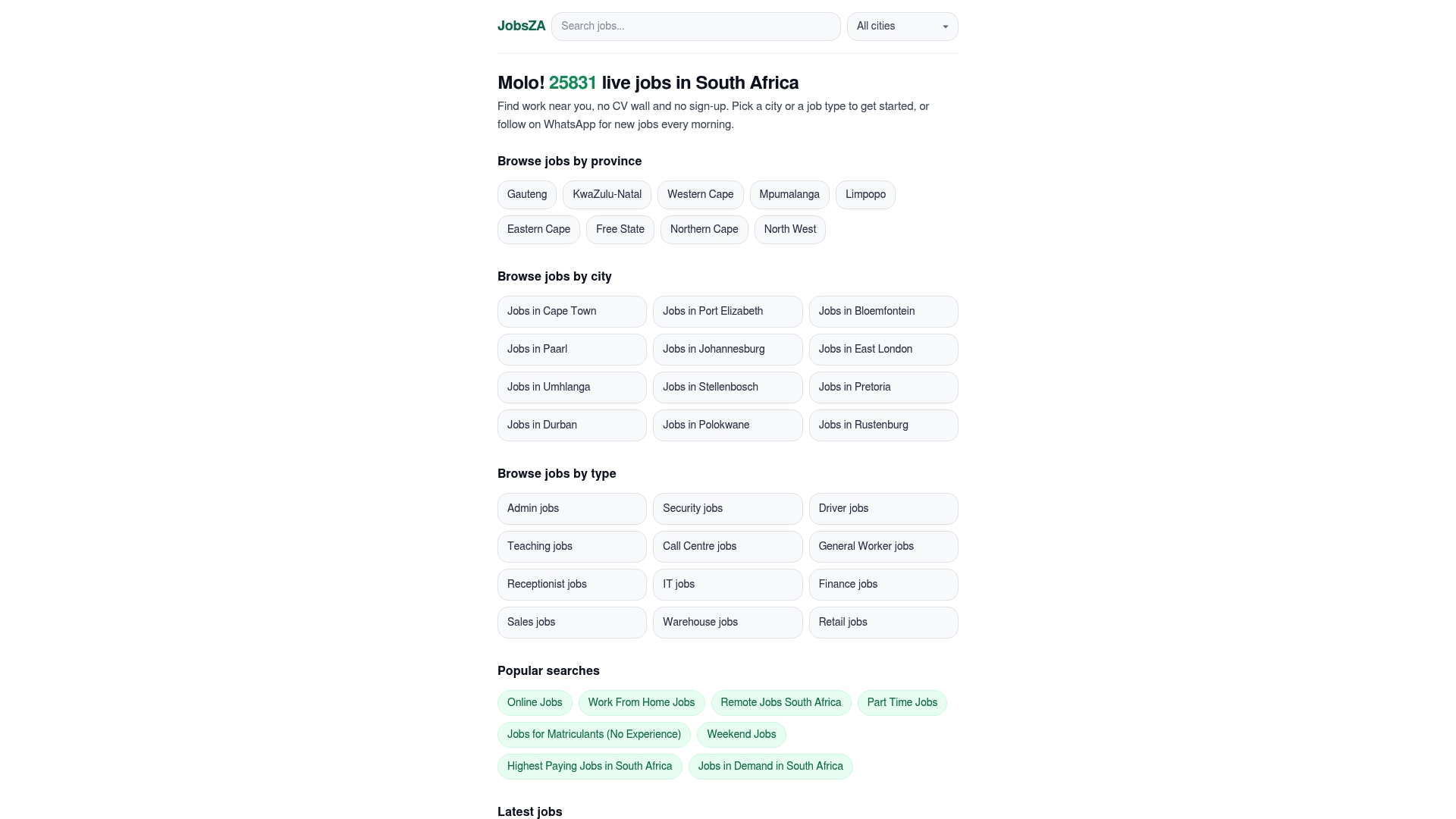
Once you opt in, you’ll start receiving daily WhatsApp job alerts every morning, covering full-time, part-time, freelance, and entry-level roles across major sectors. Select your category and set your remote or location preference, and the listings that show up will already match what you’re actually looking for. If part-time or flexible-hours work fits your situation better right now, the part-time jobs listings update on the same daily cycle.
The value here is straightforward: free access, local listings, no paperwork barrier, and alerts that land on your phone the same morning a job goes live. Head to the online jobs page, pick your filters, and enable your first WhatsApp alert today.
Sources
- SARS – Budget 2026 frequently asked questions
- SA freelancers face a skills bifurcation, not a job apocalypse — for now
- How an AI fake job ads network posing as government preys on SA’s unemployed | News24
FAQ
How can I find freelance jobs?
Combine one broad source, like a local job aggregator, with a narrow, high-signal channel such as a real-time WhatsApp feed or niche newsletter. Setting tight saved searches with exclusion terms cuts down irrelevant results significantly.
Is freelancing still profitable in 2026?
Yes, though profitability depends heavily on skill alignment. A 2026 industry report found most freelance projects are now AI-augmented rather than automated away, meaning freelancers who build AI-adjacent skills tend to stay competitive.
How do I know if a freelance job is legit?
Verify the company independently rather than trusting the listing’s own contact details, and treat any request for upfront payment as an automatic disqualifier since charging jobseekers fees is illegal in South Africa. Boards that vet employers before publishing, and platforms like Findjobsza that don’t require CV uploads or payment to browse, reduce your exposure to scam listings.
What are some good freelance jobs for South Africans?
Writing, admin support, IT and development, and customer service roles all show consistent freelance demand locally, partly because local businesses prefer local freelance talent to avoid cross-border compliance issues. Checking jobs in demand listings regularly gives a current read on which categories are hiring fastest.
Recommended
Start with your city.
19 855 live jobs, filtered by city and suburb. No sign-up wall, no CV upload just to look.