Yes, you can get job alerts on WhatsApp: here's how to start
21 August 202611 min read

Contents12 sections
- 1Key Takeaways
- 2Table of Contents
- 3How to join a WhatsApp job-alert channel, group, or broadcast list
- 4Channel, group, broadcast list, or bot: what’s the difference?
- 5What job alerts typically include and how often they arrive
- 6How to verify a WhatsApp job-alert service and spot scams
- 7How to unsubscribe or manage your WhatsApp alert settings
- 8A recommended option: how Findjobsza delivers WhatsApp job alerts
- 9Get job alerts on WhatsApp without the sign-up hassle
- 10Sources
- 11FAQ
- 12Recommended
Yes, you can get job alerts on WhatsApp: here’s how to start
You can absolutely receive job alerts on WhatsApp, either by joining a verified channel or group, or by subscribing to a broadcast list or bot. The fastest route takes under a minute if you use an official link. Here’s the checklist:
- Save a verified number or click the publisher’s official join link.
- Send the required keyword (often “JOB” or a simple “Hello”).
- Pick your job categories or city when prompted.
Three fastest ways to join, ranked by speed:
- Click a link on the employer or platform’s official careers page.
- Save the number listed on that same page, then message it directly.
- Scan a QR code posted on an official site or storefront.
Pro Tip: Only ever save a number or tap a link that appears on the employer’s own official website. If it showed up first in an unsolicited chat, treat it as suspect until proven otherwise.
Key Takeaways
Joining a WhatsApp job-alert service safely comes down to one rule: verify the number on the employer’s own site before you send a single message.
| Point | Details |
|---|---|
| Join in under a minute | Save a verified number or tap an official join link, then send the required keyword. |
| Choose the right format | Channels and bots offer more privacy; groups carry more noise and scam risk. |
| Never pay upfront | Any request for a deposit or “unlock” fee is a confirmed scam pattern. |
| Unsubscribing is instant | Leave a group, unfollow a channel, or text “STOP” on a broadcast list anytime. |
| Findjobsza offers a verified option | Daily category-filtered alerts via a published WhatsApp Business number, with no CV or sign-up required. |
Table of Contents
- How to join a WhatsApp job-alert channel, group, or broadcast list
- Channel, group, broadcast list, or bot: what’s the difference?
- What job alerts typically include and how often they arrive
- How to verify a WhatsApp job-alert service and spot scams
- How to unsubscribe or manage your WhatsApp alert settings
- A recommended option: how Findjobsza delivers WhatsApp job alerts
- Get job alerts on WhatsApp without the sign-up hassle
- Sources
- FAQ
How to join a WhatsApp job-alert channel, group, or broadcast list
Every legitimate WhatsApp job-alert service follows a similar pattern, though the exact wording changes depending on whether you’re joining a channel, a group, or a bot-driven flow.
- Find the official link or number. Check the employer’s careers page, a trusted job platform, or a printed flyer with a verifiable brand name.
- Save the number or tap the link. Channels usually open a one-tap “Follow” button. Groups need an invite link. Bots need you to save a business number first.
- Send the subscription keyword. This varies by service: some want a plain “Hello,” others want “JOB,” and a few use numbered menus like “1 for Sales, 2 for Admin, 3 for IT.”
- Confirm your categories. Many services reply with a quick menu so you can filter by city, sector, or job type before the alerts start.
Watch for a few common snags:
- If the link opens a browser page instead of WhatsApp, look for a “Continue to WhatsApp” button, usually near the top.
- If your first message doesn’t get a reply within a few minutes, resend it exactly as instructed. Bots are often keyword-strict and won’t respond to variations.
- If WhatsApp asks you to verify your own number through an OTP code, that’s normal WhatsApp security, not the employer asking for anything unusual.
Turn on notifications for the specific chat or channel once you’re in, otherwise alerts can get buried among your regular messages.
Channel, group, broadcast list, or bot: what’s the difference?
A channel is a one-way broadcast from a verified business account. You follow it, the publisher posts, and you never see other followers. This is the quietest, most private option and the best fit if you just want vacancies without chatter.

A group has visible members and two-way messaging, which means more noise and, occasionally, more risk. Scammers sometimes slip into legitimate-looking job groups and message members privately, a pattern security analysts at Capitec have flagged repeatedly.

A broadcast list sends one message to many recipients who can’t see each other, useful for recruiters managing shortlists.
Bot-driven flows are the most structured: they collect your details, sometimes scan documents through OCR, and route you into categories automatically.
- Privacy: channels and bots protect it best; groups expose your number to strangers.
- Verification signal: a verified badge or bot flow beats an anonymous personal number every time.
- Best fit: entry-level, high-volume roles suit groups and broadcasts; specialised roles suit bots with structured intake.
Pro Tip: If you’re applying for anything beyond casual or entry-level work, favor a verified business channel or bot over a group chat. Structured flows leave a paper trail; group chats don’t.
What job alerts typically include and how often they arrive
Most WhatsApp job alerts follow a predictable format, so it’s worth knowing what “normal” looks like before you subscribe.
- Role and location: job title plus a short branch or city reference.
- Pay details: a salary band when the employer chooses to share one, though many don’t.
- How to apply: a direct link, a phone number, or a “reply with your name and city” instruction.
- Deadline: either a closing date or “until filled.”
Frequency depends on the service and category you pick. Some send a single alert the moment a matching vacancy opens. Others batch everything into a morning digest, which suits high-volume sectors like retail, warehousing, or admin. Weekend-only batches are common for casual and shift work. When you subscribe, you’ll usually get a chance to filter by city, sector, or job type, so the alerts that reach you actually match what you’re looking for.
How to verify a WhatsApp job-alert service and spot scams
Verification takes thirty seconds and saves you from most of the damage. Run through this before you engage with any WhatsApp job offer:
- Confirm the account carries a verified WhatsApp Business badge.
- Cross-check that the same number or join link appears on the employer or platform’s official careers page.
- Ask for a company email address if anything feels off. Legitimate recruiters have one.
- Refuse any request for upfront payment, no matter how it’s framed.
WhatsApp job scams tend to follow a recognizable pattern: a hook message, some credibility-building small talk, a pivot to paid “training” or a task, then a payment request through EFT or an e-wallet before the scammer disappears. CheckJobScam’s breakdown of this pattern notes that scammers lean on WhatsApp precisely because adoption is so widespread across South Africa.
Major employers, including large retailers, government departments, and energy providers, do not recruit exclusively through unsolicited WhatsApp messages. Offers from unverified numbers claiming to represent them are confirmed scams, according to Africa Check’s review of municipal hiring claims.
Red flags worth memorizing:
- A cold message from a number you never contacted.
- Any request for money before you’ve started working.
- Pressure to move the conversation to an unfamiliar app or share your ID and banking details in chat.
- Pay offers that sound too generous for the role described.
Scam patterns often include a small early payout designed to build trust, followed by a demand for a “deposit” to unlock a larger sum. Threat Manifest’s analysis treats that deposit request as one of the most reliable fraud indicators around.
If you think you’ve been targeted:
- Stop replying immediately.
- Screenshot the entire conversation.
- Block and report the number in WhatsApp.
- If you’ve transferred money, report it to your bank and to SAPS.
- Verify the role independently through the company’s own website or switchboard.
Under South African employment rules, charging job seekers for access to employment services is illegal. Never pay to apply, interview, or “unlock” a position.
How to unsubscribe or manage your WhatsApp alert settings
Leaving is just as quick as joining:
- Groups: open the group, tap the group name, and select “Exit Group.”
- Channels: open the channel, tap the three dots, and choose “Unfollow.”
- Broadcast lists or bots: send “STOP” or “UNSUBSCRIBE,” or use the opt-out instruction they gave you at sign-up.
Muting works the same way if you just want quiet without leaving entirely.
Pro Tip: Create a separate WhatsApp folder for job alerts, or use your phone’s notification channels, so vacancy pings don’t get lost among personal chats.
A recommended option: how Findjobsza delivers WhatsApp job alerts
Findjobsza runs its WhatsApp alerts through a verified business flow, publishing daily vacancy updates without requiring sign-up, a CV, or any account creation. You pick the categories that matter to you, and new listings land in your chat every morning.
The trust signals line up with everything covered above: a verified WhatsApp Business account, a number published directly on Findjobsza’s official site, clear instructions for opting out, and a plain privacy notice. No fees, ever, at any stage.
To join, save the number listed on Findjobsza’s site and send a short message like “Hi, please add me to job alerts for [your city/sector].” You’ll get a confirmation and start receiving vacancies from the next update cycle.
What makes it worth keeping:
- Local roles across sales, admin, warehouse, and IT categories.
- Low data use since alerts are text, not app downloads.
- Daily updates rather than sporadic postings.
- Filters by city and job type so you’re not wading through irrelevant listings.
A short note from the editor
WhatsApp is genuinely one of the fastest ways to hear about a South African vacancy before it’s buried on a job board. Caution doesn’t slow that down. It just means checking the number against an official source before you reply. That’s where an established, verified option like Findjobsza earns its keep.
Get job alerts on WhatsApp without the sign-up hassle
Findjobsza is the option that skips the parts job seekers hate most: no CV upload, no account creation, no waiting for a recruiter to respond. You save one number, and vacancies across every major sector start arriving the next morning — check out How to Write a CV for New Zealand for tips if you plan to apply.
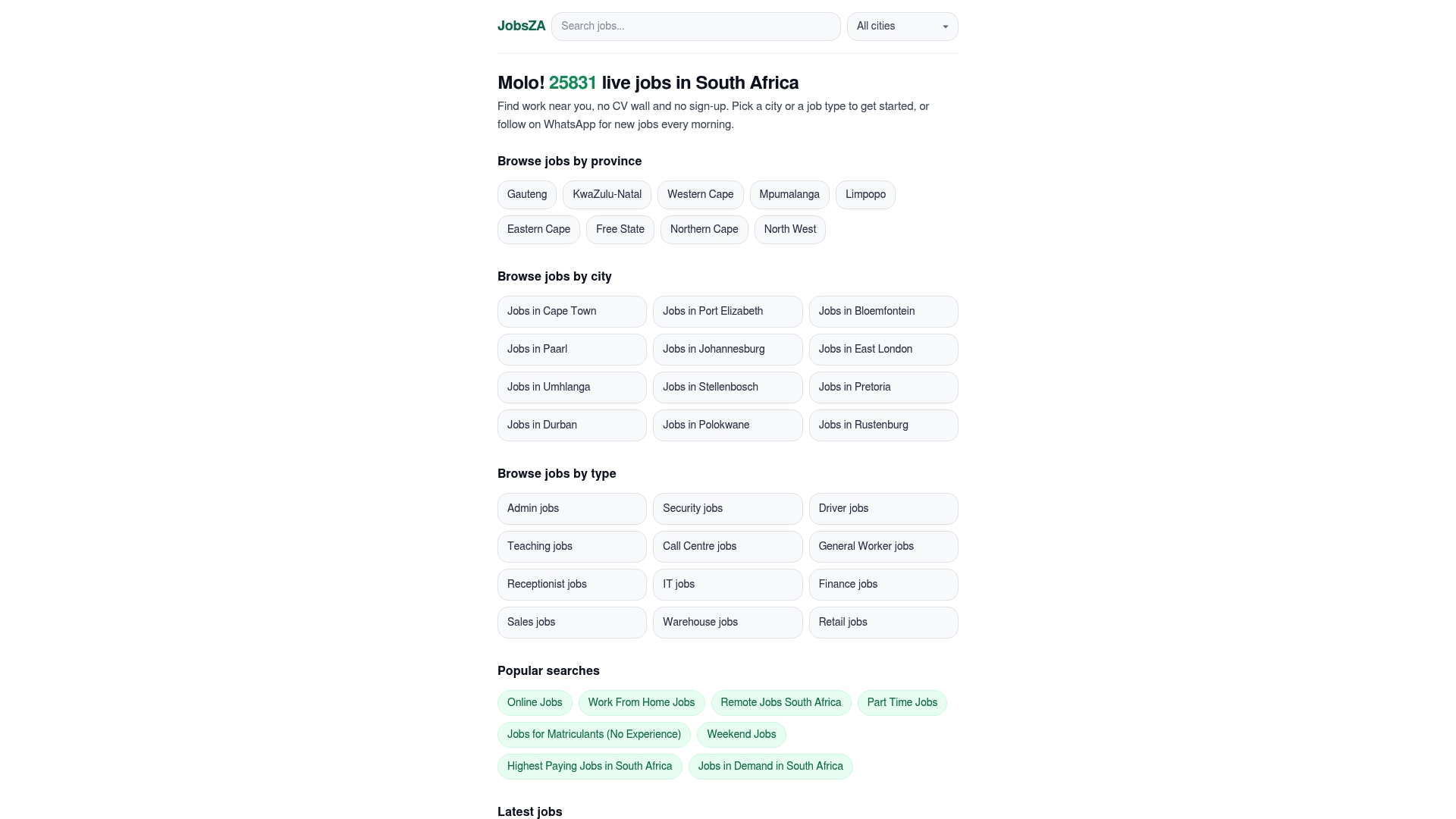
The setup mirrors everything this article recommends: a verified WhatsApp Business account, the number published openly on Findjobsza’s site, and zero fees at any stage. If you’d rather browse first, the jobs in demand page gives a live sense of what’s currently hiring.
Save the number from Findjobsza’s site now, text “JOB” along with your city, and you’ll be in the queue for tomorrow’s alerts. If you’re specifically after flexible hours, the part-time jobs listings are worth checking the same way.
Sources
- Africa Check — South Africans ignore posts claiming municipality hiring
- WhatsApp Job Scams in South Africa: The Complete 2026 Guide | CheckJobScam
- Why WhatsApp is crowned the new king of SA retail and hospitality recruitment - Jobrato
- Capitec Bank — Stay safe from job scams
- WhatsApp Scam: Fake Job Offers and How to Spot Them | Threat Manifest
This article is general information, not a substitute for advice from a qualified lawyer. Consult a qualified legal professional about your own circumstances before acting on anything here.
FAQ
Do jobs message you on WhatsApp?
Yes, legitimate employers and job platforms do send vacancy messages on WhatsApp, but only through verified business accounts or channels you’ve actively joined, not through unsolicited personal chats.
Is a WhatsApp online job legit?
It can be, if the number or link is published on the employer’s official website and there’s no request for payment; if either of those is missing, treat the offer as unverified.
What are the best WhatsApp job alert channels?
Look for verified business channels published on an employer or platform’s own site, such as Findjobsza’s daily alert service, which filters by city and sector without requiring a CV or sign-up.
Are recruiters using WhatsApp?
Yes, recruiters increasingly use WhatsApp Business accounts and automated chatbot flows to manage applications, since it lowers drop-off compared to traditional application forms, according to Jobrato’s analysis of South African retail and hospitality hiring.
What should I do if a WhatsApp job offer asks for payment?
Stop replying immediately, screenshot the conversation, and block and report the number. No legitimate job in South Africa requires an upfront fee to apply or start work.
Recommended
Start with your city.
19 990 live jobs, filtered by city and suburb. No sign-up wall, no CV upload just to look.