Job alert keywords that actually get you hired in SA
4 August 202614 min read

Contents13 sections
- 1Table of Contents
- 2What job alerts do and why your keywords drive everything
- 3How do you build job alert keywords that actually work?
- 4Where do you set these keywords on each platform?
- 5How do you know if your alerts are working?
- 6Common mistakes that kill your alert quality
- 7A South Africa example: setting up alerts on Findjobsza
- 8Key takeaways
- 9The alert habit most South African job seekers skip
- 10Findjobsza puts South Africa’s daily job market in your WhatsApp
- 11Useful sources
- 12FAQ
- 13Recommended
Job alert keywords that actually get you hired in SA
Set 3–7 focused alerts using a combination of job title, core skills, and location, and you will cut irrelevant notifications dramatically while catching roles that matter. The formula that works: [Job Title] AND [Key Skill] AND [City or Province], with Boolean operators to tighten or widen the net. Here are ready-to-copy strings you can paste into any South African job platform right now:
"Sales Representative" AND Gauteng AND "B2B""Data Analyst" AND SQL AND "Cape Town""Human Resources Officer" AND HRIS AND Johannesburg"Software Developer" AND Python AND Remote"Financial Accountant" AND IFRS AND Sandton"Marketing Coordinator" AND "digital marketing" AND "Cape Town" NOT Senior"IT Support" AND "Google IT Support Certificate" AND Pretoria"Administrative Assistant" AND "MS Office" AND Durban NOT Manager"Logistics Coordinator" AND "supply chain" AND Gauteng"Customer Service Agent" AND "call centre" AND Johannesburg NOT "Team Leader"
Create these alerts, set delivery to daily, and run them for seven days before making any changes. That first week of data tells you more than any keyword theory.
Table of Contents
- What job alerts do and why your keywords drive everything
- How do you build job alert keywords that actually work?
- Where do you set these keywords on each platform?
- How do you know if your alerts are working?
- Common mistakes that kill your alert quality
- A South Africa example: setting up alerts on Findjobsza
- Key takeaways
- The alert habit most South African job seekers skip
- Findjobsza puts South Africa’s daily job market in your WhatsApp
- Useful sources
- FAQ
What job alerts do and why your keywords drive everything
Job alerts are automated notifications sent by email, app, or WhatsApp whenever a new posting matches your saved criteria. The criteria you set, including job title, skills, location, salary range, and contract type, are what the platform compares against incoming listings.
The matching logic matters more than most people realise. Platforms scan multiple fields in each job posting, not just the title. When you type “accountant” into an alert, the system checks that word against the posting’s title, description, requirements section, and sometimes even the company name. A broad single-word alert like “accountant” will match everything from a junior bookkeeper role to a CFO position. Platforms that also read your profile data, such as LinkedIn, will factor in your headline and listed skills when deciding which alerts to surface.
Fields you can usually control when creating an alert:
- Job title or keyword (the most influential field)
- Location (city, province, or remote)
- Industry or category
- Contract type (permanent, contract, part-time, freelance)
- Salary range (where the platform supports it)
- Date posted (past 24 hours, past week)
- Company name (for company-specific alerts)
The fields you cannot always control, such as how the platform weights title versus description matches, are exactly why keyword construction is the lever you have the most power over.
How do you build job alert keywords that actually work?
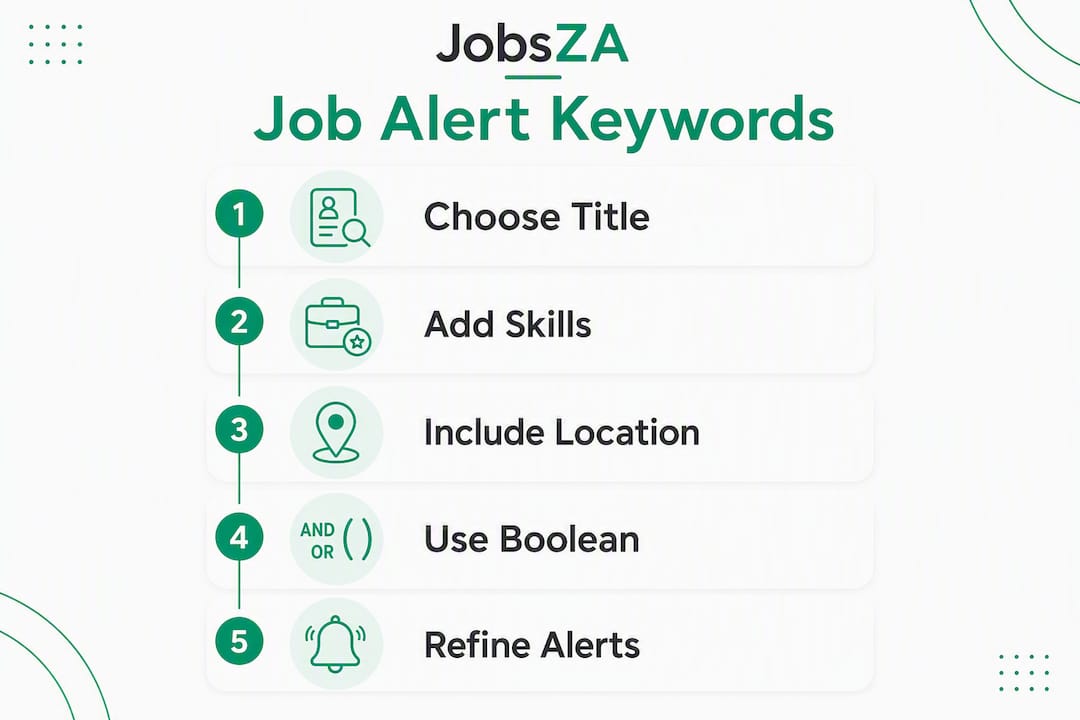
The core principle: specificity beats breadth, but too narrow and you miss roles. The sweet spot is multiple focused alerts rather than one catch-all. Experts consistently recommend creating granular, separate alerts for each role variation rather than a single broad search that floods your inbox with noise.
The five components of a strong alert keyword string
- Target job title — use the industry-standard title, not a creative internal one. Portals parse against corporate postings, so “Human Resources Officer” outperforms “People Champion” every time.
- Essential skill or tool — one or two, not five.
SQL,IFRS,AutoCAD,Salesforce. - Seniority modifier — include it or exclude it.
NOT Seniorremoves roles above your level;NOT Internremoves roles below it. - Location — city, suburb, or province. On South African portals, entering a specific metro or suburb node such as Johannesburg CBD or Cape Northern Suburbs keeps results geographically relevant and cuts commute-area mismatches.
- Contract type or salary term — add
"permanent","contract", or"remote"to filter by work arrangement.
Boolean operators with South Africa-relevant examples
Boolean logic in search bars captures title variations and excludes unwanted roles, reducing irrelevant noise significantly.

| Operator | What it does | Example |
|---|---|---|
AND |
Both terms must appear | "Project Manager" AND Agile AND Johannesburg |
OR |
Either term matches | "Sales Executive" OR "Sales Representative" |
NOT |
Excludes a term | "Accountant" NOT Senior NOT CFO |
" " |
Exact phrase match | "supply chain coordinator" |
A practical string for a mid-level HR role in Gauteng:
"Human Resources Officer" OR "HR Generalist" AND Gauteng NOT "HR Director" NOT Intern
For IT roles, certifications work as powerful discovery keywords. A Google IT Support Certificate as a keyword can surface Help Desk, IT Assistant, and Technical Support postings in a single alert, without creating a separate search for each title.
Pro Tip: LinkedIn allows up to 20 saved job alerts. Use that capacity deliberately: one alert per title variation, one skills-based alert, and one broader “discovery” alert for cross-industry roles you might not think to search for.
Where do you set these keywords on each platform?
Each platform handles keyword input differently. Knowing where to type and what syntax each one supports saves you from wasted alerts.
Step-by-step setup highlights
Google Alerts
- Go to google.com/alerts.
- Type your keyword string in the search box. Use quotation marks for exact phrases:
"financial analyst" Johannesburg. - Click “Show options” and set frequency to “As-it-happens” or “Once a day.”
- Choose delivery to Gmail and click “Create Alert.”
Google Alerts does not support full Boolean NOT natively in the alert field, but the minus sign works as an exclusion: "data analyst" Johannesburg -senior.
- Run a job search using your target title and location.
- Click “All filters” and restrict to the Title field where available. Restricting to title-only can eliminate 60–70% of noise compared to a full-text keyword search.
- Toggle “Job alert” on and set frequency to Daily for active searches.
- Use the seniority filter to exclude Executive or Internship levels.
Indeed
- Run a search using your keyword string in the main search bar and enter your city or province in the location field.
- Scroll to the bottom of results and click “Get email updates for this search.”
- Set frequency to daily. Indeed supports basic Boolean in the search bar.
- Use the company alert feature separately if you are targeting specific employers.
Findjobsza
- Browse by city or job category — no sign-up or CV upload needed.
- Select your target category (e.g., admin jobs or IT jobs) and apply the city filter.
- Enable WhatsApp delivery to receive new listings every morning directly on your phone.
- No profile setup required — the platform pushes daily updates based on your selected category and location.
Platform feature comparison
| Platform | Title-only filter | Boolean support | Negative keywords | WhatsApp delivery | Daily frequency |
|---|---|---|---|---|---|
| Google Alerts | No | Partial (minus sign) | Yes (minus sign) | No | Yes |
| Yes | Limited | Via seniority filter | No | Yes | |
| Indeed | No | Basic | Limited | No | Yes |
| Findjobsza | Yes (by category) | No | No | Yes | Yes |
For active job seekers, set alerts to daily and filter to recent postings — past 24 hours to seven days — so you are not competing with applicants who saw the role a week earlier.
How do you know if your alerts are working?
Run a two-week test before changing anything. Log every alert delivery in a simple spreadsheet or notes app. For each notification, mark it relevant (yes) or not (no). At the end of two weeks, calculate your relevance rate: relevant alerts divided by total alerts received.
- Below 50% relevance: your keywords are too broad. Narrow with a specific skill, add a NOT exclusion, or switch from full-text to title-only filtering.
- Fewer than five alerts per week in an active market: your keywords are too narrow. Broaden with an OR variation, add a synonym, or remove a location restriction.
- Good volume, low quality: add a certification keyword or a contract-type modifier to filter the feed.
Monthly review checklist
- Check each alert’s delivery count and relevance rate.
- Prune alerts that have delivered fewer than three relevant results in 30 days.
- Add new synonyms or certifications you have seen in recent job postings.
- Toggle location radius: if Johannesburg CBD is too narrow, expand to Gauteng.
- Update your profile headline and skills to match your current alert keywords. Platforms that match alert terms against profile data will surface better results when your profile reflects your search intent.
- Refresh alerts by editing and re-saving them. This updates the system timestamp and can improve the relevance of roles pushed to your account.
Common mistakes that kill your alert quality
Most alert problems come down to a handful of fixable errors.
- Single-word broad alerts (
accountant,engineer,manager) generate alert fatigue: so many irrelevant notifications that you start ignoring all of them. Add at least one skill or location term. - Wrong location format — typing “JHB” instead of “Johannesburg” or “Gauteng” can break location matching on platforms that do not recognise abbreviations.
- Creative internal job titles — searching for “People Champion” or “Growth Ninja” will return almost nothing. Use the industry-standard title the corporate world actually posts.
- No seniority exclusion — if you are mid-level, add
NOT Senior NOT Director NOT VPto avoid roles that will screen you out before you even apply. - Set-and-forget alerts — an alert you created six months ago and never touched is almost certainly delivering stale or irrelevant results. Treat alerts as a monthly maintenance task, not a one-time setup.
Pro Tip: If your inbox is flooded, do not delete the alert. Instead, add one NOT exclusion per week until the feed is manageable. Deleting and starting over loses the platform’s learning about your preferences on sites that track engagement.
Quick troubleshooting checklist:
- Check your spam or promotions folder — alert emails often land there.
- Confirm notification permissions in the platform’s mobile app settings.
- Verify that your alert frequency is set to daily, not weekly.
- Make sure your profile keywords match your target role titles on platforms that use profile data for matching.
A South Africa example: setting up alerts on Findjobsza
Here is a concrete setup for a mid-level Sales role in Gauteng, using Findjobsza.
- Visit findjobsza.co.za — no account creation or CV upload needed.
- Select Sales from the job category menu.
- Apply the Gauteng city or province filter. For tighter targeting, select Johannesburg or Sandton specifically.
- Enable WhatsApp delivery to receive that morning’s new sales listings directly on your phone, every day.
- If you want to track a specific contract type, browse the part-time or remote categories separately and enable WhatsApp for each.
For the keyword string you would use on a platform like LinkedIn or Indeed alongside this:
"Sales Representative" OR "Sales Executive" AND Gauteng AND "B2B" NOT "Sales Director" NOT Intern
On Findjobsza, you do not need to build Boolean strings to get relevant results. The category and city filters do the narrowing for you, and WhatsApp delivery means new listings reach you before most applicants have opened their laptops. For South African job seekers who want speed without the friction of profile setup, that combination is genuinely hard to beat.
South Africa’s hiring market has distinct rhythms: January and July see the highest posting volumes as companies fill roles after year-end and mid-year budget approvals. Configure your alerts to daily delivery during these windows, and drop to weekly in quieter months like April or December to avoid a thin feed that trains you to ignore notifications.
Key takeaways
Effective job alert keywords combine a standard job title, one or two core skills, a location modifier, and a seniority exclusion — then get tested, measured, and pruned monthly.
| Point | Details |
|---|---|
| Use 3–7 targeted alerts | Multiple focused alerts outperform one broad catch-all and reduce irrelevant notifications. |
| Apply Boolean operators | AND, OR, NOT, and quotation marks sharpen results on LinkedIn, Indeed, and Google Alerts. |
| Test for 7 days | Track relevance rate: below 50% means narrow; fewer than five alerts per week means broaden. |
| Prune and refresh monthly | Edit and re-save alerts monthly to update the system timestamp and keep results current. |
| Use Findjobsza for SA speed | Category and city filters plus daily WhatsApp delivery surface new South African roles every morning, no sign-up needed. |
The alert habit most South African job seekers skip
Most advice stops at “set up your alerts.” What it misses is the maintenance habit that separates a useful alert feed from a cluttered inbox you eventually mute.
The non-obvious move is to align your profile headline on every platform with your active alert keywords. If your LinkedIn headline says “Experienced Professional” but your alerts are targeting “Financial Accountant AND IFRS AND Sandton,” the platform’s matching engine sees a mismatch and deprioritises your feed. Updating your headline to reflect your actual target role takes five minutes and meaningfully improves what gets pushed to you.
The second habit: schedule a 15-minute check of your alerts every morning, and a 30-minute audit every month. The morning check keeps you in the first wave of applicants — roles posted in South Africa’s peak hiring windows fill fast, sometimes within 48 hours. The monthly audit is where you add the certifications you have just completed, swap out a title that has stopped producing results, and check whether a new suburb or province filter would open up more relevant roles.
Most job seekers treat alerts as passive infrastructure. The ones who get callbacks treat them as an active, iterative tool.
Findjobsza puts South Africa’s daily job market in your WhatsApp
Setting up keyword alerts on multiple platforms is worth doing, but it still requires checking several inboxes and managing different account logins. Findjobsza takes a different approach: browse jobs in demand across South Africa by category and city, enable WhatsApp delivery, and new listings arrive on your phone every morning before most applicants have started their search.
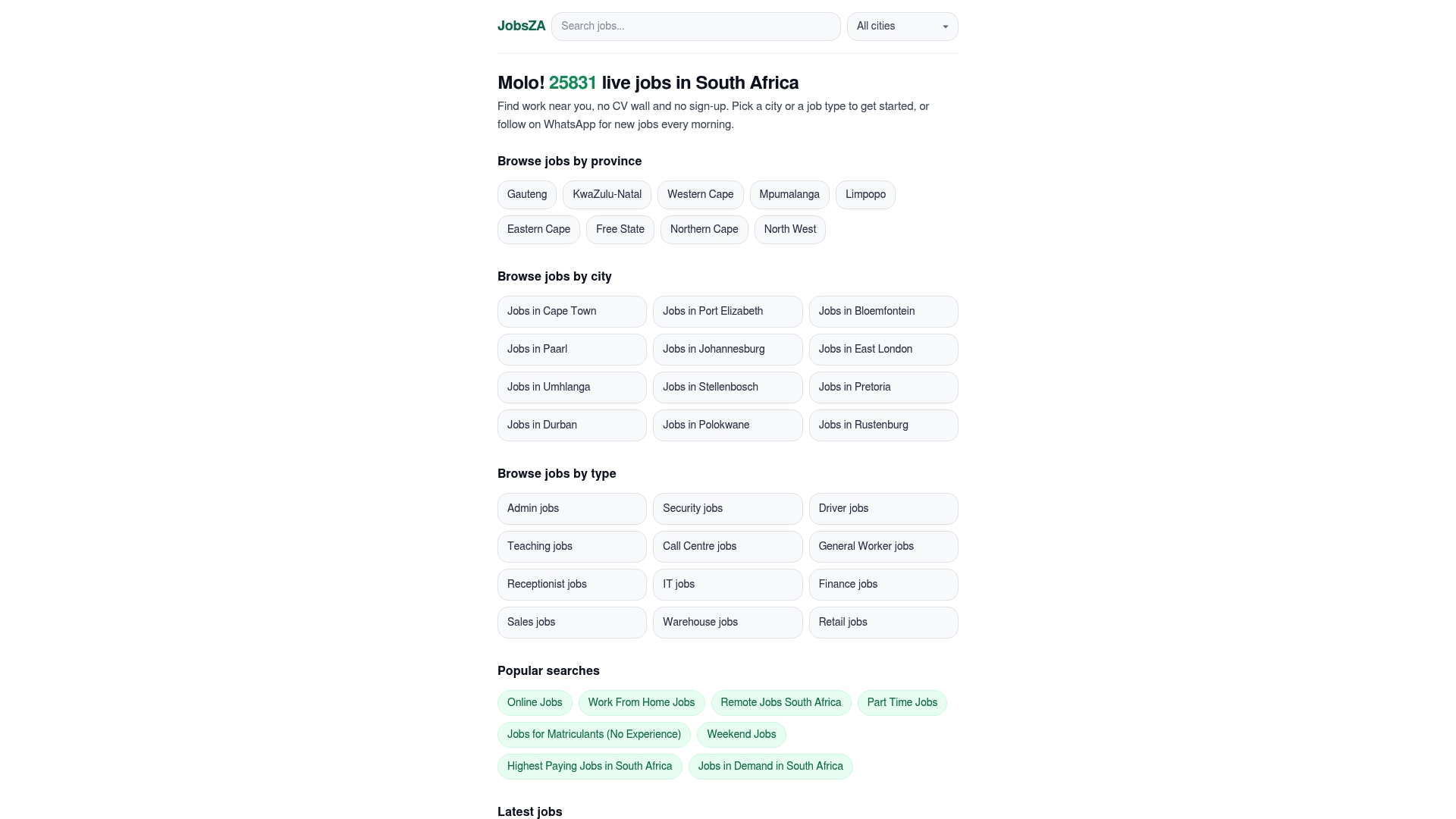
No CV upload. No registration. No algorithm deciding whether your profile is complete enough to show you results. You pick the category — sales, admin, IT, remote, or any other sector — apply the city or province filter, and the platform does the rest. For job seekers in Gauteng, the Western Cape, or anywhere else in South Africa, that daily WhatsApp update is the fastest way to stay ahead of new postings without managing a complex alert system across five platforms. Visit findjobsza.co.za and set your first category filter today.
Useful sources
These official help pages and local guides cover setup details and deeper reading on job alert configuration:
- How to set up job alerts on South African career portals — step-by-step guide to configuring alerts on South Africa’s major job boards, including location and keyword tips.
- Job alerts setup: advanced filters that reduce noise — covers LinkedIn’s title filter, frequency settings, and the 20-alert limit.
- How to set up job alerts to find the right job postings — explains certification-based keywords and how to broaden discovery without multiplying alerts.
- How to use job alerts effectively for software engineer roles — practical advice on multiple granular alerts and testing relevance over time.
- Create a job alert to get new jobs emailed to you — USAJOBS official guide; useful for understanding alert mechanics and email delivery settings (US context, but the setup logic applies broadly).
FAQ
What are the best keywords for job alerts?
The most effective job alert keywords combine a standard job title, one core skill, and a location — for example, "Financial Accountant" AND IFRS AND Gauteng. Adding a seniority exclusion such as NOT Senior sharpens results further.
What do keywords mean for a job alert?
Keywords are the terms a platform matches against job postings to decide which listings to send you. They are checked against the posting’s title, description, and requirements, so precise phrasing matters more than volume.
How do you set up a job alert for new openings?
On most platforms, run a search with your target title and location, then click “Save search” or “Create alert” and choose daily delivery. On Findjobsza, select a job category and city, then enable WhatsApp delivery — no account needed.
How do you reduce irrelevant job alert notifications?
Switch from full-text to title-only filtering where the platform allows it, add NOT exclusions for seniority levels you do not want, and include a specific skill term. On LinkedIn, restricting to the Title filter can cut 60–70% of noise compared to a broad keyword search.
How often should you update your job alert keywords?
Review and update your alerts monthly. Add certifications you have recently completed, swap out titles that are producing few results, and re-save each alert to refresh the system timestamp and keep your feed current.
Recommended
Start with your city.
33 080 live jobs, filtered by city and suburb. No sign-up wall, no CV upload just to look.