WhatsApp recruiting for South African recruiters: 2026 guide
25 July 202619 min read

Contents14 sections
- 1Table of Contents
- 2How does WhatsApp fit across the full recruitment funnel?
- 3How do you set up WhatsApp Business for recruiting?
- 4Can you automate WhatsApp screening without losing the human touch?
- 5What does POPIA require for WhatsApp recruiting in South Africa?
- 6Ready-to-use WhatsApp message templates for recruiters
- 7Which KPIs actually tell you if WhatsApp recruiting is working?
- 8A South Africa case study: faster responses and the Findjobsza workflow
- 9Key takeaways
- 10WhatsApp recruiting in South Africa: what actually moves the needle
- 11Findjobsza makes WhatsApp job alerts simple for South African recruiters
- 12Useful sources
- 13FAQ
- 14Recommended
WhatsApp recruiting for South African recruiters: 2026 guide
WhatsApp recruiting should be your primary mobile-first hiring channel in South Africa, not a backup to email. Over 93% of South African internet users are active on WhatsApp daily, and candidate response times can be very quick when you engage through instant messaging. That is not a marginal improvement over email. That is a different category of speed.
Five actions to start this week:
- Set up a WhatsApp Business profile with your company name, logo, business hours, and a short description. Use the WhatsApp Business App, not a personal number.
- Add a WhatsApp apply button to your job posts on Findjobsza and your careers page so candidates can start an application in one tap.
- Build a short screening flow of three knockout questions (availability, location, minimum qualification) that a chatbot or quick-reply menu handles before a recruiter steps in.
- Connect WhatsApp to your ATS or calendar so every conversation creates a timestamped record. Findjobsza’s daily WhatsApp job alerts already push fresh roles to candidates each morning, giving you a warm audience before you send a single outreach message.
- Publish your working hours and a consent note in your WhatsApp greeting message so candidates know when to expect a reply and what data you will collect.
Table of Contents
- How does WhatsApp fit across the full recruitment funnel?
- How do you set up WhatsApp Business for recruiting?
- Can you automate WhatsApp screening without losing the human touch?
- What does POPIA require for WhatsApp recruiting in South Africa?
- Ready-to-use WhatsApp message templates for recruiters
- Which KPIs actually tell you if WhatsApp recruiting is working?
- A South Africa case study: faster responses and the Findjobsza workflow
- Key takeaways
- WhatsApp recruiting in South Africa: what actually moves the needle
- Findjobsza makes WhatsApp job alerts simple for South African recruiters
- Useful sources
- FAQ
How does WhatsApp fit across the full recruitment funnel?
Most recruiters drop WhatsApp into one stage and wonder why results are patchy. The channel earns its keep when you map it deliberately to each funnel stage.
Sourcing. Share job links or QR codes on social posts, flyers, and Findjobsza listings. A QR code on a printed notice at a taxi rank or shopping centre reaches candidates who never visit a job portal. For frontline and seasonal roles, this is often the fastest sourcing method available.
Pre-screening. Once a candidate taps your apply button, a three-question flow handles the first filter automatically. Example:
Candidates who pass get routed to a recruiter. Those who do not get a polite, instant decline. No one waits three days for a form email.
Interview scheduling. Send a calendar link or a simple time-slot menu via WhatsApp. Confirmation messages and 24-hour reminders cut no-show rates noticeably, especially for entry-level roles where candidates juggle multiple applications.
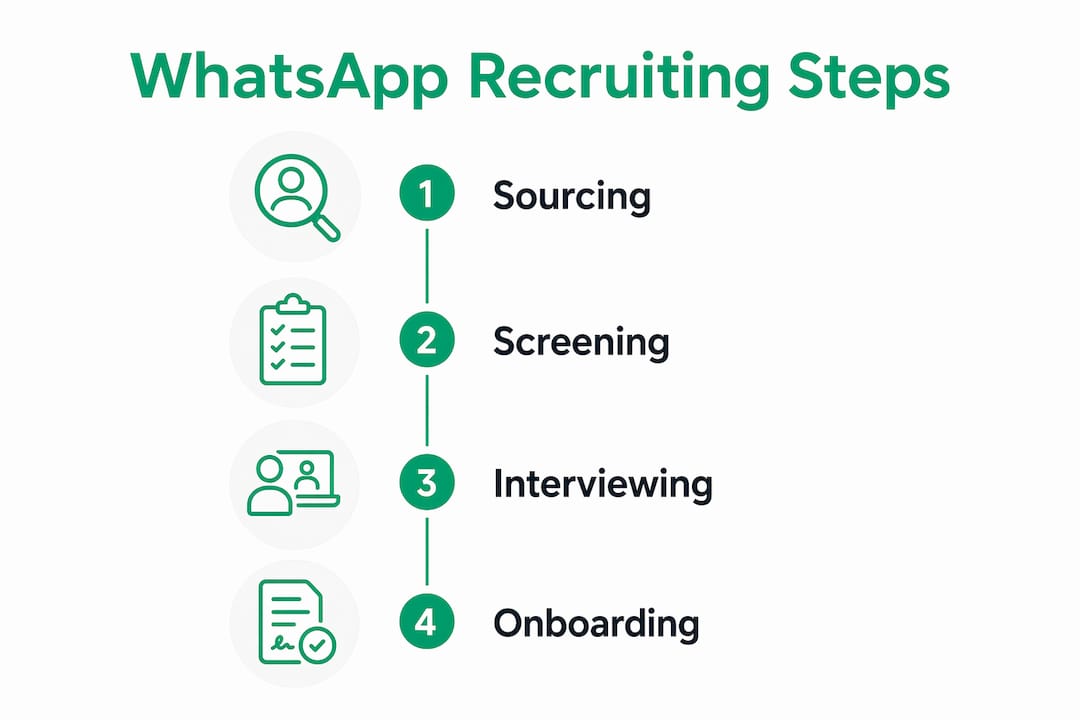
Onboarding and talent pools. After a hire, a WhatsApp welcome message with first-day logistics feels personal. For candidates who were strong but not selected, a broadcast list keeps them warm for the next opening.
WhatsApp works best as the primary channel for frontline, seasonal, and remote roles where candidates are mobile-first. For senior or specialist hiring, treat it as a fast-response complement to email and your ATS, not a replacement.

Pro Tip: Always hand off structured data to your ATS at each stage. WhatsApp is the conversation layer; your ATS is the system of record. A recruiter who only tracks candidates in WhatsApp chats will lose history the moment a phone is lost or a number changes.
How do you set up WhatsApp Business for recruiting?
The difference between a personal WhatsApp and a properly configured WhatsApp Business account is the difference between a recruiter texting from their personal phone and a verified, auditable hiring channel.
Personal vs Business App vs Business API
| Version | Best for | Key features | Cost |
|---|---|---|---|
| WhatsApp (personal) | Individual, informal use | Basic messaging | Free |
| WhatsApp Business App | Small teams, single recruiter | Verified profile, quick replies, labels, away messages, broadcast lists | Free |
| WhatsApp Business API | Multi-agent teams, automation at scale | Chatbots, CRM/ATS integration, bulk templates, analytics | Paid via provider |
For most South African recruiting teams, the WhatsApp Business App is the right starting point. The API makes sense once you are handling more than 50 active candidates at a time or need multi-recruiter access.
Step-by-step setup checklist
- Download the WhatsApp Business App and register with a dedicated business number (not your personal SIM).
- Set your display name to your company or agency name, and upload your logo as the profile photo.
- Complete the business profile: address, business category (Staffing/Recruiting), website, and email.
- Write an away message for outside business hours: “Thanks for reaching out to [Company] Recruitment. We’re available Monday–Friday, 08:00–17:00. We’ll reply on the next business day.”
- Create quick replies for your five most common responses (application received, interview invite, document request, rejection, offer).
- Set up labels to organise your pipeline: New Applicant, Screening, Interview Scheduled, Offer Sent, Hired, Not Suitable.
- Build a greeting message that includes your consent note (see the POPIA section below).
- Test the full flow by messaging your own number before going live.
Job seekers actively search for recruitment agencies’ WhatsApp numbers and prefer verified business contacts over personal numbers. Adding a WhatsApp button to your Findjobsza listings and your website converts that search intent directly into applications.
For teams with physical document challenges, OCR tools that parse photos of IDs and certificates sent via WhatsApp are a practical differentiator. OCR parsing of documents from WhatsApp photos removes the digital barrier for candidates who only have physical copies, which is common in retail and hospitality hiring across South Africa.
Device policy note: If multiple recruiters share one WhatsApp Business number, use the API with a shared inbox tool. Running the Business App on a single phone and handing it between team members creates audit gaps and risks data loss if the device is misplaced.
Can you automate WhatsApp screening without losing the human touch?
Yes, and the key is knowing exactly where to draw the line. AI chatbots paired with the WhatsApp Business API handle screening, document collection, and scheduling at scale while preserving candidate experience, but only when human handoff rules are clearly defined.

Common automation patterns
Automated screening questions run the moment a candidate initiates contact. The bot collects name, location, availability, and three knockout criteria, then scores and routes the candidate without recruiter involvement.
Document collection via OCR lets candidates photograph their ID, matric certificate, or driver’s licence and send it directly in chat. The system parses the image, extracts the relevant fields, and populates your ATS record. No email attachment, no portal login required.
Interview scheduling and reminders connect to your calendar via two-way sync. The bot offers available slots, the candidate picks one, and both parties receive a confirmation. A reminder fires 24 hours before and again one hour before the interview.
Status updates and bulk role alerts keep your talent pool warm. When a new role matches a candidate’s saved criteria, an automated message goes out. Findjobsza’s daily WhatsApp alerts already do this at scale for job seekers across South Africa.
Safeguards you cannot skip
Automation fails candidates when it handles situations that require judgment. Reserve human recruiters for salary negotiation, rejection conversations with feedback, any question about reasonable accommodation or disability, and any candidate who explicitly asks to speak to a person.
Set rate limits on outbound messages to avoid triggering WhatsApp’s spam filters. Build a fallback channel (SMS or email) for candidates whose WhatsApp delivery fails. Log every bot interaction with a timestamp so you have an audit trail for POPIA purposes.
Pro Tip: Build a “speak to a person” trigger into every bot flow. A candidate who types “human” or “agent” should reach a recruiter within one business day. Candidates who feel trapped in a bot loop do not complete applications, and they do not apply again.
What does POPIA require for WhatsApp recruiting in South Africa?
POPIA has applied to all South African businesses since July 2021, and WhatsApp recruiting creates specific compliance obligations that generic HR policies do not cover. The Information Regulator has already issued enforcement notices and fines to businesses that mishandled data collected through digital channels.
POPIA compliance checklist for WhatsApp recruiting
| Requirement | What to do | Common mistake to avoid |
|---|---|---|
| Lawful basis | Identify whether you rely on consent, contractual necessity, or legitimate interest for each data type | Assuming consent is always required — it often is not for core recruitment interactions |
| Consent for marketing | Get explicit opt-in before adding candidates to broadcast lists | Adding applicants to broadcast lists without separate consent |
| Data minimisation | Collect only what the role requires (name, contact, qualifications) | Asking for ID numbers, bank details, or health information in plain chat |
| Retention and deletion | Set documented retention periods; delete data when no longer needed | Keeping rejected candidate data indefinitely with no deletion policy |
| Device security | Password-protect devices, enable remote wipe, restrict access to business numbers | Running recruitment on a personal phone shared with family |
| Cross-border backups | Review where WhatsApp backups are stored (Google Drive or iCloud may be offshore) | Assuming WhatsApp’s encryption covers backup storage compliance |
| Vendor due diligence | Sign a data processing agreement with any third-party chatbot or ATS provider | Using a free chatbot tool with no POPIA-aligned data processing terms |
| Candidate rights | Respond to deletion and access requests within 30 days | No process for handling “delete my data” requests from candidates |
| Audit trails | Log every data access, modification, and deletion | Relying on WhatsApp chat history as your only record |
Consent is not the only lawful basis under POPIA. Legitimate interest or contractual necessity covers most core recruitment interactions, which simplifies your workflow considerably. You do need explicit consent for marketing messages and for adding candidates to broadcast lists.
Using a third-party chatbot platform does not transfer POPIA liability. Your business remains the responsible party. That means formal vendor due diligence and a signed data processing agreement are not optional extras.
For WhatsApp groups used in recruitment (for example, a group for candidates attending an assessment day), South African legal guidance is clear: businesses that create groups to market or recruit must obtain consent. Send candidates a join link rather than adding them without permission.
Sample consent language for your greeting message:
This article provides general information, not legal advice. Confirm your specific POPIA obligations with a qualified data privacy practitioner.
Ready-to-use WhatsApp message templates for recruiters
Tone matters as much as timing. WhatsApp is conversational by nature, but recruitment conversations carry professional weight. Keep messages short, use a single call to action per message, and send only during business hours (08:00–17:00 Monday–Friday).
Template library
Initial outreach: Screening questions (send as one message): Interview invite: Reminder (24 hours before): Rejection with feedback option: Onboarding welcome:
Groups vs broadcast lists
Use broadcast lists for outbound role alerts and status updates. Candidates receive the message as a direct chat, not a group message, which feels personal and keeps your contact list clean. Use WhatsApp groups only when genuine two-way group interaction is needed, such as an assessment day briefing. Always send a join link rather than adding people without permission, and set clear group rules in the description.
- Label every contact by role and pipeline stage before archiving completed conversations.
- Archive, do not delete, conversations until your retention period has passed and deletion is confirmed.
- Never add a candidate to a broadcast list without explicit opt-in.
Pro Tip: Schedule your outreach messages for Tuesday–Thursday between 09:00 and 11:00. Open and response rates on WhatsApp tend to be highest mid-week and mid-morning, before the afternoon meeting rush.
Which KPIs actually tell you if WhatsApp recruiting is working?
Tracking the right numbers from day one prevents you from running WhatsApp as a feel-good experiment rather than a measurable channel.
Core KPIs to track:
- Response rate: percentage of outreach messages that receive a reply within 24 hours
- Median response time: how quickly candidates reply after your first message
- Application completion rate: percentage of candidates who start a WhatsApp screening flow and finish it
- Time-to-screen: hours from first contact to a qualified candidate record in your ATS
- Time-to-hire: calendar days from job post to accepted offer, segmented by channel
- Interview no-show rate: percentage of scheduled interviews where the candidate does not attend
- Channel conversion: hires attributed to WhatsApp vs job portal vs referral
Data capture discipline: Push every structured response to your ATS with a timestamp and a source tag (WhatsApp). Without source tagging, you cannot prove ROI at the end of the quarter.
A simple A/B test to run this month
Take one active role and split your applicant flow: half apply via your standard portal, half via a WhatsApp apply button. Measure application completion rate and time-to-screen for each group after two weeks. Some organisations have reported higher application completion rates and faster time-to-hire for frontline roles when using WhatsApp flows compared to job portals. Your own data will tell you whether those numbers hold for your specific roles and candidate pool.
ROI formula for stakeholder reporting:
Pro Tip: Add a “How did you hear about this role?” quick-reply option at the start of your screening flow. Candidates who say “WhatsApp alert” or “Findjobsza” give you clean attribution data without any manual tagging.
A South Africa case study: faster responses and the Findjobsza workflow
A retail chain recruiting cashiers and floor staff across Gauteng switched from a portal-only application process to a WhatsApp-first flow for frontline roles. The results illustrated what the channel can do when it is set up properly.
The response-time shift was the most visible change. Before WhatsApp, the average time from outreach to candidate reply was measured in hours. After switching to instant messaging engagement, response times dropped to as little as 27 seconds in comparable Africa-market case studies. For a hiring manager trying to fill ten cashier roles before a peak trading weekend, that speed is the difference between a full team and a staffing gap.
The workflow looked like this:
- Job post on Findjobsza with a WhatsApp apply button. Findjobsza’s daily WhatsApp job alerts pushed the role to candidates in the relevant city category each morning.
- Candidate taps apply and is greeted by an automated screening flow: three knockout questions (location, availability, Grade 12).
- OCR document collection: candidates who passed screening were asked to photograph their ID and matric certificate and send them in chat. The OCR tool extracted the relevant fields and populated the ATS record automatically.
- ATS handoff: qualified candidates were pushed to the recruiter’s pipeline with a source tag and a completed profile. No manual data entry.
- Interview scheduling: the bot offered two time slots. Candidates confirmed via WhatsApp. A 24-hour reminder reduced no-shows.
- Offer via WhatsApp: the verbal offer was sent as a WhatsApp message, followed by a formal email with the contract attached.
Application completion for the WhatsApp flow typically reaches around 80%, compared to 30–40% on job portals. Mobile-first flows allow candidates to apply without a laptop or high-speed internet, which matters for entry-level and matriculant roles where many applicants only have a smartphone and a mobile data bundle.
The key lesson: the workflow only worked because every stage had a clear handoff rule. WhatsApp handled conversation; the ATS held the record. Findjobsza provided the daily alert audience. Each tool did one job.
Key takeaways
WhatsApp recruiting works in South Africa because the channel meets candidates where they already are, and the operational and compliance steps to run it properly are achievable for any recruiting team.
| Point | Details |
|---|---|
| Set up WhatsApp Business | Use the Business App or API, not a personal number, to get verified profiles, labels, and audit trails. |
| Use short screening flows | Three knockout questions handled by a bot filter candidates before a recruiter spends time on them. |
| Integrate with your ATS | Push every WhatsApp interaction to your ATS with a timestamp and source tag from day one. |
| Follow the POPIA checklist | Secure devices, document retention periods, get consent for broadcast lists, and sign vendor agreements. |
| Measure response rate and time-to-hire | Track both from the first campaign and run an A/B test against your portal to prove channel ROI. |
| Use Findjobsza for daily alerts | Findjobsza’s WhatsApp job alerts deliver warm, city-specific candidates to your flow every morning. |
WhatsApp recruiting in South Africa: what actually moves the needle
The conventional advice on WhatsApp recruiting focuses almost entirely on speed, and speed is real. But the bigger opportunity in South Africa is reach, not just pace.
A large share of the workforce that frontline employers most need to hire does not have a laptop, does not maintain an updated CV on a job portal, and does not check email reliably. WhatsApp is where they live. A recruiting process that requires a portal login, a formatted CV upload, and an email confirmation is not slow for these candidates. It is simply inaccessible.
The OCR document flow is the detail most guides skip over. When a candidate can photograph their ID and matric certificate on a R500 smartphone and have that data populate an ATS record automatically, you have removed the single biggest friction point in frontline hiring. That is not a convenience feature. It is the reason completion rates look so different between WhatsApp flows and portal flows.
The compliance piece deserves the same seriousness. POPIA is not a box-ticking exercise, and the Information Regulator has demonstrated willingness to act. The good news is that the checklist is manageable. Device security, documented retention periods, a consent note in your greeting message, and a signed data processing agreement with your chatbot vendor cover the majority of the risk. The businesses that get into trouble are the ones treating WhatsApp as an informal channel where normal data rules do not apply.
The practical recommendation: start with one role, one WhatsApp apply button, and one three-question screening flow. Measure completion and time-to-screen against your portal baseline. The data will make the case for scaling better than any benchmark from another market.
Findjobsza makes WhatsApp job alerts simple for South African recruiters
For recruiters filling high-volume frontline, part-time, or entry-level roles, the hardest part of WhatsApp recruiting is not the setup. It is finding a warm audience before you send the first message.
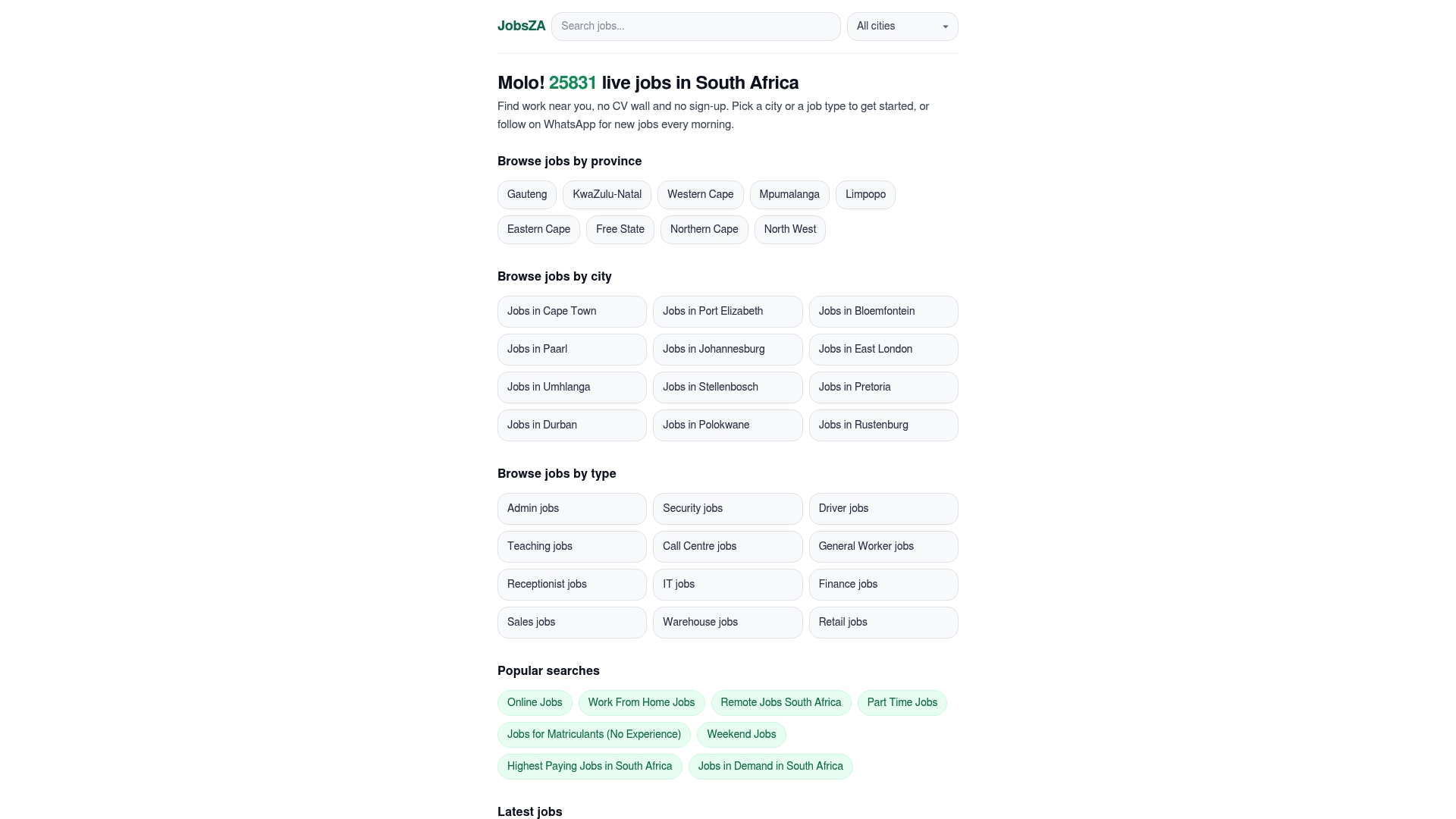
Findjobsza solves that directly. The platform delivers daily WhatsApp job alerts to South African job seekers by city and job type, which means your listing reaches active candidates on their phones every morning without any outreach effort on your end. No CV uploads, no registration barriers, and no portal friction for the candidate. Browse part-time roles or jobs for matriculants to see the categories where WhatsApp-first applications perform best.
Post one role on Findjobsza this week, add a WhatsApp apply button, and measure completion against your current portal. That single test will tell you more about your candidate pool’s channel preference than any industry report.
Useful sources
- POPIA compliance for WhatsApp chatbots (Raimond Insights) — Detailed South Africa-specific guide covering lawful basis, data minimisation, deletion workflows, and vendor accountability under POPIA.
- POPIA hiring compliance guide (Shiftmate) — Practical employer-focused checklist covering responsible party obligations and third-party vendor due diligence.
- POPIA considerations for recruitment (Phinc) — Covers device security, backup controls, and safe alternatives to transmitting sensitive data in plain chat.
- WhatsApp group admins and POPIA (MyBroadband) — Clarifies when consent is required for WhatsApp groups, with commentary from South African law firms.
- Why job seekers search for recruitment agencies’ WhatsApp numbers (Proactive Recruitment) — Explains candidate behaviour and the case for verified WhatsApp Business profiles.
- WhatsApp as the new king of SA retail and hospitality recruitment (Jobrato) — Covers OCR document flows and mobile-first application design for frontline hiring.
- Improving candidate outreach with instant messaging (Robert Walters Africa) — Africa-market case study showing response times reduced to 27 seconds with instant messaging.
- WhatsApp for HR and recruitment playbook (AiSensy) — Covers chatbot automation patterns, API capabilities, and completion rate improvements.
- Findjobsza — South Africa’s mobile-first job listing platform with daily WhatsApp job alerts and simplified applications by city and job type.
FAQ
Are recruiters on WhatsApp legitimate?
Yes, legitimate recruiters use WhatsApp, particularly in South Africa where over 93% of internet users are active on the platform daily. A genuine recruiter will contact you from a verified WhatsApp Business number, not a personal account, and will never ask for payment or sensitive financial details in chat.
Why am I getting recruitment messages on WhatsApp?
Recruiters increasingly use WhatsApp as a primary outreach channel because response rates are significantly higher than email. If you applied for a role on a platform like Findjobsza or gave consent for job alerts, that is the most likely source of the contact.
Is it normal for a job to contact you through WhatsApp?
In South Africa, yes. WhatsApp is the dominant communication platform, and many employers, particularly in retail, hospitality, and frontline sectors, now conduct initial screening and interview scheduling entirely through WhatsApp.
Do recruiters need your consent before messaging you on WhatsApp?
Under POPIA, recruiters need a lawful basis to process your personal information. For core recruitment interactions, legitimate interest or contractual necessity may apply, but explicit consent is required before adding you to a broadcast list or sending marketing messages. You can request deletion of your data at any time by replying DELETE to the recruiter’s WhatsApp number.
How do you apply for a job via WhatsApp?
Tap the WhatsApp apply button on a job listing, such as those on Findjobsza, and you will be connected directly to the recruiter’s WhatsApp Business number. Answer the screening questions sent by the recruiter or chatbot, and follow the prompts to share your qualifications. No CV upload or portal registration is required.
Recommended
Start with your city.
20 711 live jobs, filtered by city and suburb. No sign-up wall, no CV upload just to look.